QuebeccTango
Member
-
Joined
-
Last visited
Everything posted by QuebeccTango
-
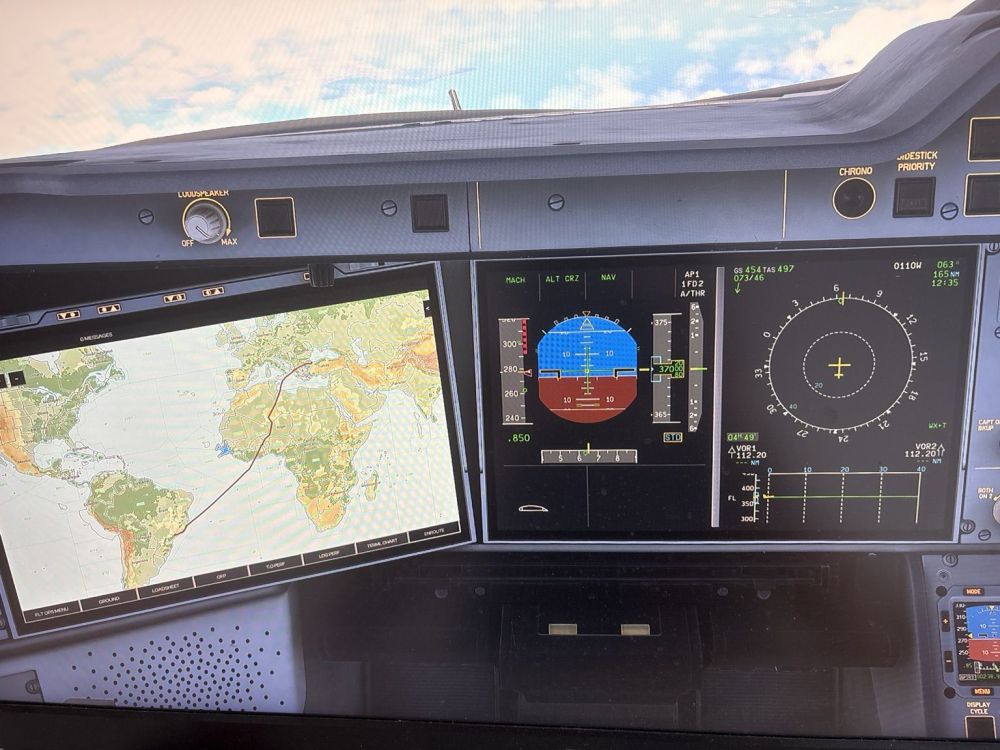
Hi everyone, I’m trying to figure out what happened during one of my long-haul flights. I was flying the iniBuilds A350 in Microsoft Flight Simulator 2024 on the Xbox Series X, from São Paulo (SBGR) to Istanbul (LTFM). Everything was working perfectly for the first 2–3 hours. I left the simulator running while I was away for about 5 hours. When I came back, I noticed that my plane was off course (screenshot), and that my buttons didn’t work. My controls also didn’t work, like it was frozen for some reason, but my aircraft was still flying. This is the second time it’s happening to me. For the first time I coped with the fact that I did something wrong will setting up, but seeing that it’s happening for the second time back to back, made me wonder if this is actually a bug that appeared. I don’t know if this was already addressed, and if other people also experience the same thing. If there is a way to fix this, please let me know. I’m dying to do another long haul flight.