AmBo137
Member
-
Joined
-
Last visited
Everything posted by AmBo137
-
Hello everyone, I hope you're all doing well. I'm having an issue with the default A320neo in Microsoft Flight Simulator 2024, and I was wondering if anyone has experienced the same problem. I create my flight plan on SimBrief, then I start MSFS 2024, load the A320neo, and enter my SimBrief Pilot ID in the aircraft's EFB/FMS to import the flight plan. However, instead of importing the route, I only get the message "Flight Plan Requested", and nothing else happens. The flight plan never loads into the aircraft. I've tried waiting for a while, but it still doesn't import the route. Has anyone else experienced this issue? Is there something I'm missing, or is this a known bug? Any advice or troubleshooting steps would be greatly appreciated. Thank you very much in advance for your help! I'm Italian, so if there's anyone from Italy who has solved this problem, I'd really appreciate your advice as well. Have a great night, and thanks again!
-
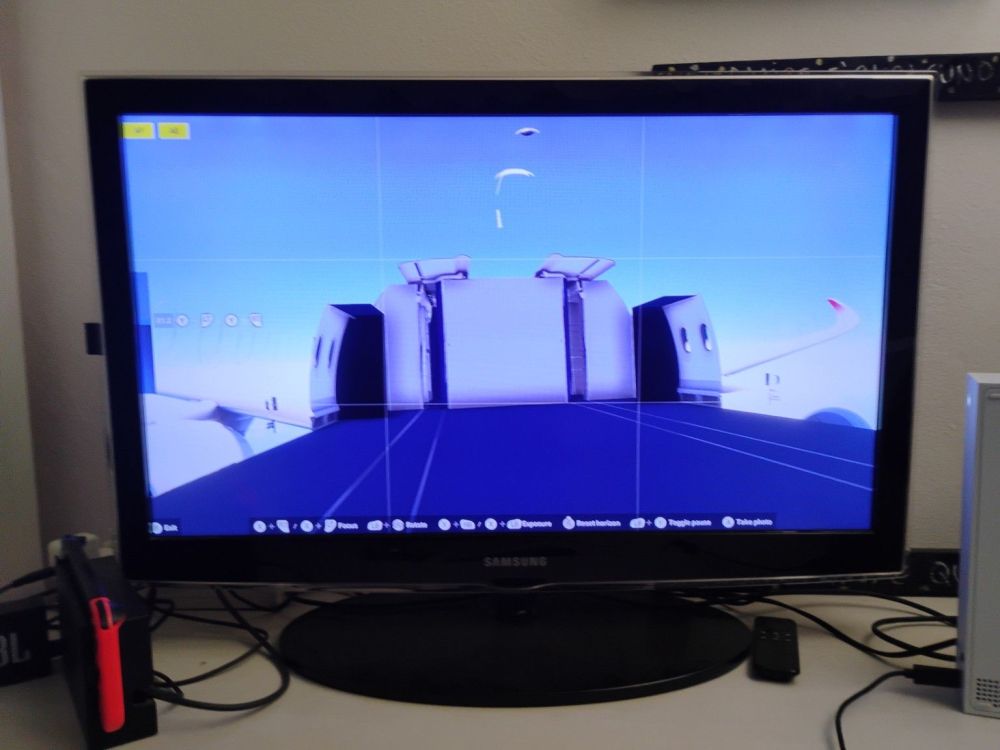
Hello everyone, I recently purchased the iniBuilds Airbus A350 for Microsoft Flight Simulator 2024 on Xbox Series S, together with 3 airline livery packs. When I tried my first flight, I noticed that the passenger cabin was not loading correctly. The cockpit loads normally, but the passenger cabin appears missing or not fully generated. After waiting and trying again, the aircraft started working better, so I think it could be a loading issue rather than a permanent bug. I am thinking about reinstalling the aircraft to make sure all files were downloaded correctly. Has anyone on Xbox Series S experienced a similar problem with the iniBuilds A350? Do you have any suggestions or solutions? I would also like to know if this is a known issue or if there are any settings that could help with loading the aircraft correctly. Thank you to everyone who can help! I am Italian, so if there is any Italian user or support member who can help, I would really appreciate it. Have a great day and thanks in advance for your help.