xxlin
Member
-
Joined
-
Last visited
Everything posted by xxlin
-
An interesting finding: The issue only occurs with the A350-900 using the default cabin configuration. I have tested the following variants and they do NOT exhibit the problem: - A350-900 (No Cabin) - A350-900ULR (Default Cabin) - A350-900ULR (No Cabin) - A350-1000 (Default Cabin) - A350-1000 (No Cabin) So far, the problem appears to be exclusive to the A350-900 with the default cabin model installed. This makes me wonder if the issue could be related to the specific model variant or cabin package rather than the aircraft's lighting system itself. This may help narrow down the root cause, as the lighting issue seems to be tied to a specific aircraft variant rather than affecting the entire A350 product line.
-
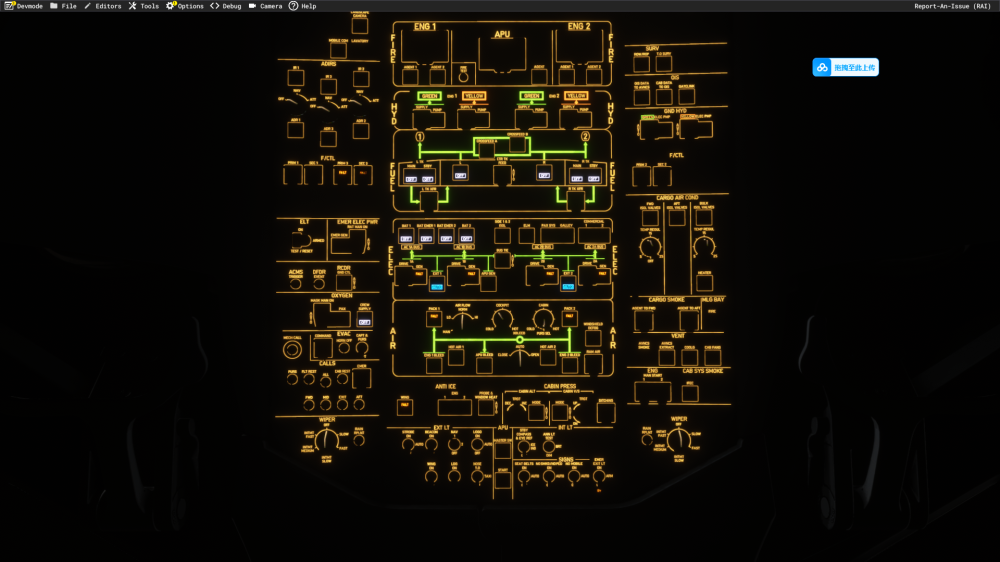
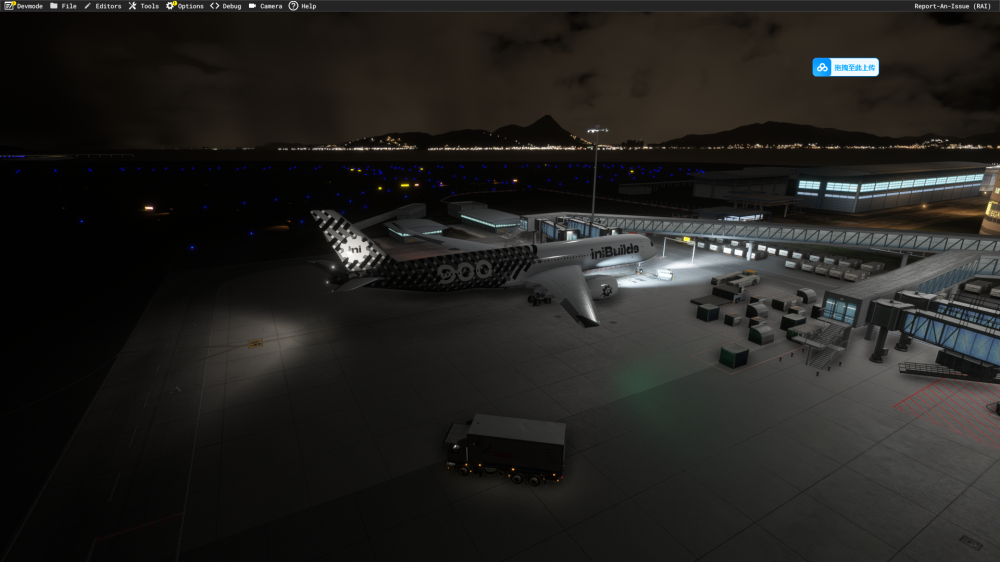
Hi everyone, I am experiencing a strange lighting issue with the iniBuilds A350 (v1.2.6) in MSFS 2024 and would like to know if anyone else has encountered the same problem. Issue: - Landing lights remain illuminated externally even when the aircraft is in a complete Cold & Dark state. - Strobe lights also appear to be affected and do not always follow the switch position. - The problem occurs on every flight. What I have tested: - Aircraft loaded directly in Cold & Dark. - Batteries OFF. - External Power OFF. - APU OFF. - Landing light switches OFF. - Tested with both default iniBuilds liveries and third-party liveries. - Reinstalled the aircraft through iniManager. - The issue persists. What makes this particularly strange is that the landing lights remain visible from the outside even when the aircraft has no electrical power at all. I am running: - MSFS 2024 - iniBuilds A350 v1.2.6 - GSX installed (issue occurs even without using GSX services) Has anyone else seen this behavior? If so, were you able to find a workaround or fix? Thanks in advance. Screenshots attached showing the aircraft in a completely unpowered Cold & Dark state while the external landing lights remain illuminated.