



Skip to content
View in the app

A better way to browse. Learn more.

iniBuilds Forum

A full-screen app on your home screen with push notifications, badges and more.

To install this app on iOS and iPadOS
  1. Tap the Share icon in Safari
  2. Scroll the menu and tap Add to Home Screen.
  3. Tap Add in the top-right corner.
To install this app on Android
  1. Tap the 3-dot menu (⋮) in the top-right corner of the browser.
  2. Tap Add to Home screen or Install app.
  3. Confirm by tapping Install.

moli

Member
  • Joined

  • Last visited

  1. moli posted a topic in General Discussion
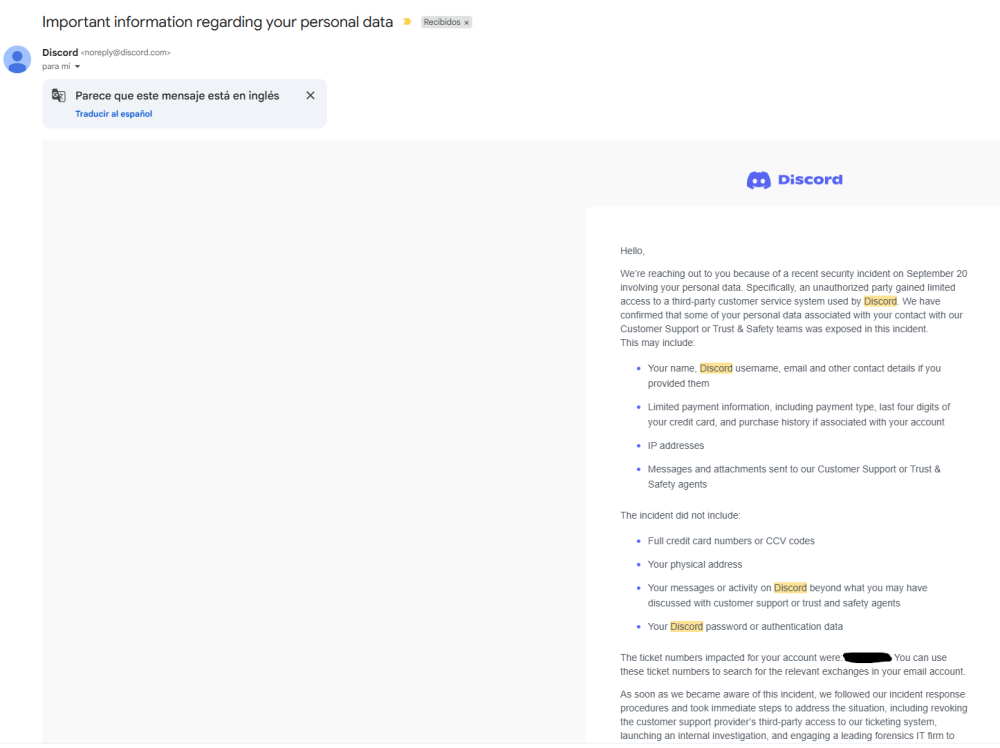
    Hello, I got banned from the discord server due to a third party hacking spam. Even discord sent me a message saying that it was their fault that something about their side got hacked and some accounts (including mine) were compromised. I would appreciate to get my access back so i can actively participate in the community. Please see attached one of the mails received by official discord team Best regards.
Account

Navigation

Configure browser push notifications

Chrome (Android)
  1. Tap the lock icon next to the address bar.
  2. Tap Permissions → Notifications.
  3. Adjust your preference.
Chrome (Desktop)
  1. Click the padlock icon in the address bar.
  2. Select Site settings.
  3. Find Notifications and adjust your preference.