ericmarciano
Member
-
Joined
-
Last visited
Everything posted by ericmarciano
-
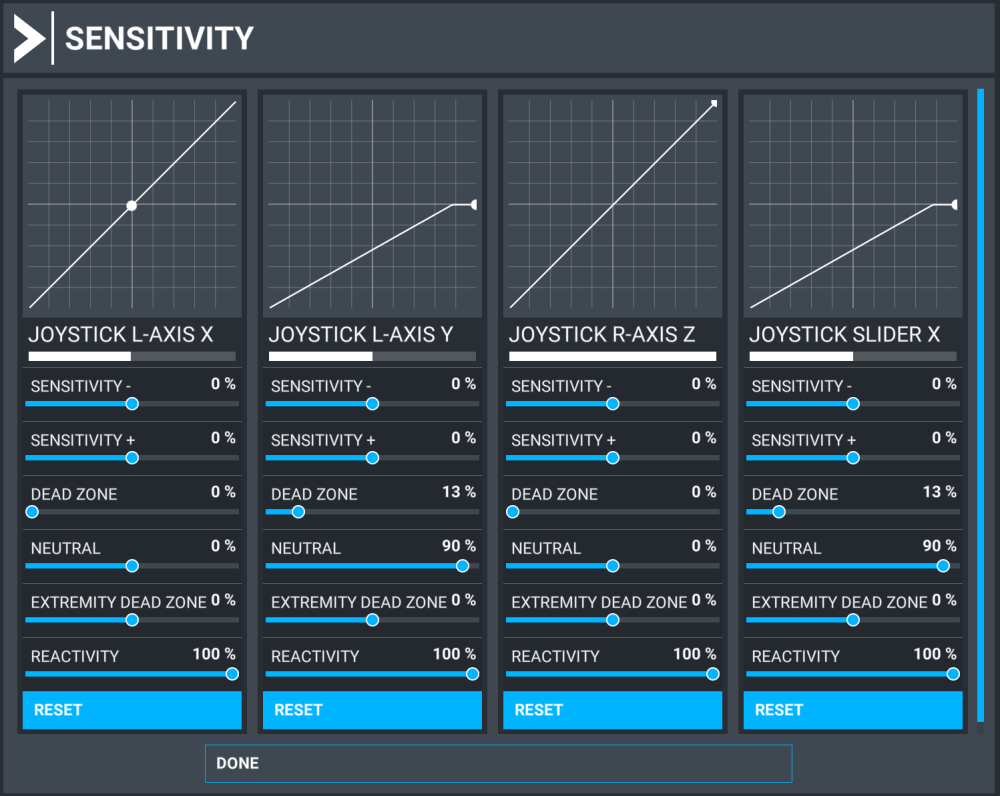
I finally found the solution by myself. If someone is interested, here is the configuration you should set in the "sensitivity" settings:
-
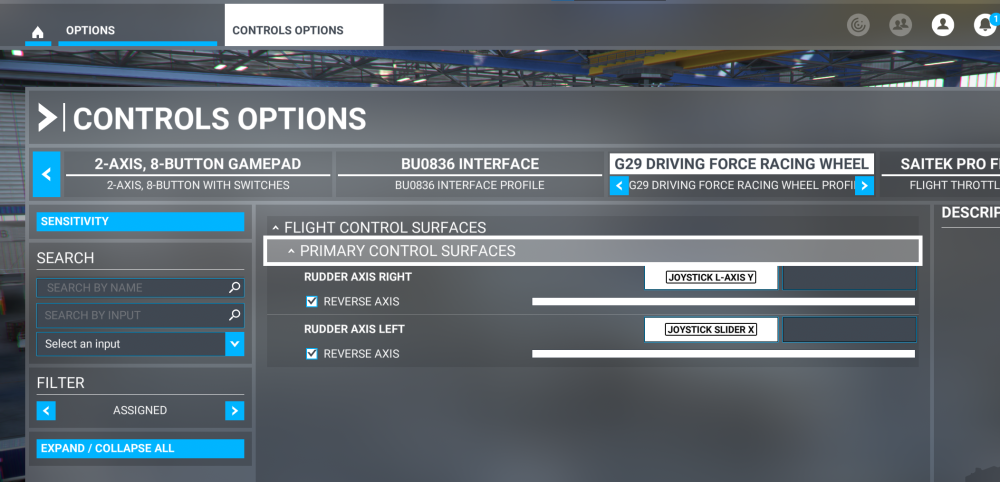
I am both a car racer and a pilot. I decided to use my G29 pedals to control the rudder in MSFS planes. The 3 pedals have separate axis, so I use the left one (clutch) for the left rudder and the right one (throttle) for the right rudder, as shown on the attached image. It works perfectly with all aircraft, except the iniBuilds A320 Neo, probably because it expects a single axis for left/right rudder whereas I have 2 separate axis for left and right. Consequently, the A320 rudder is always full left or full right, it is centered only if the left or right pedal is maintained at the center position. In other words, if you move the clutch pedal, the aircraft considers it as the only axis to control the rudder, and same for the throttle pedal. Do you know of any solution or workaround to solve this issue? For information, I found a reddit user who had the same problem here: Rudder issue in A320 : r/MicrosoftFlightSim