




thinkofnamelater
Member
-
Joined
-
Last visited
Everything posted by thinkofnamelater
-
for example if the active leg is 3-4, and 05 is selected for display, the ins displays distance between 0(ppos)-1-2-3-4-5 instead of 0-4(to wpt)-5
-
did you turn on the master radios on the overhead panel?
-
1.0.8 does appear to address the dsrtk issue, however TK and HDG still both display heading, and DA is still the difference between heading and DSRTK (again DA should be the difference between heading and track)
-
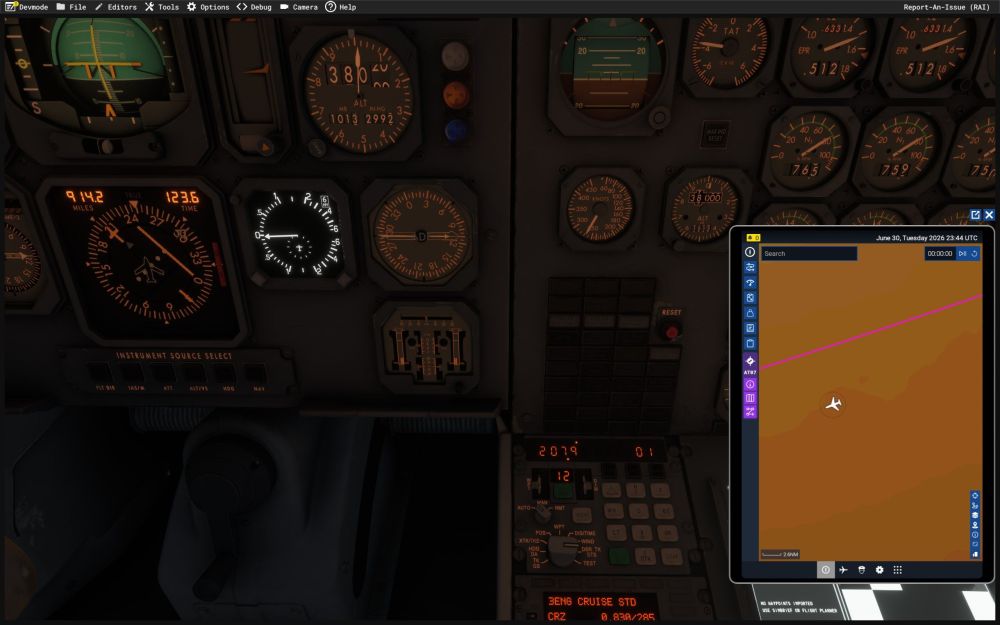
the INS dsrtk does not follow the great circle path and instead stays on the initial track calculated at the from waypoint (this may or may not be the same problem as AP in INS is offset in 1.0.7 - Systems - iniBuilds Forum) the aircraft is flying between NZCH (43°29.4‘S 172°32.1E) and AN07/AT07 (69°26.2S 076°19.0E), these are the only 2 waypoints loaded in the INS, a 3121nmi leg. DSRTK stays at 207.9 the entire way, which also shows on the HSI the aircraft also deviates from the track continuously, maybe if DSRTK is fixed this problem will go away on its own as i'm guessing the INS uses DSRTK as a reference and adds corrections (may or may not be limited to 45°, aircraft may eventually fly a straight heading given long enough leg) on top of it based on crosstrack deviation track on TK/GS and heading on HDG/DA is the same number (this should only be the case when below 75kt groundspeed) drift angle seems to be the difference between heading and DSRTK, it should be the difference between heading and track and a question on the displayed XTK, the manual says the LTN72 displays the XTK offset set by the crew, are you guys sure that's true? because on CIVA units it displays crosstrack distance to current leg (outputs to HSI deviation)
-
2026-04-11 01-54-11.mkv
-
-
-
-
as the title says, engine #2 shuts down when tanks 2l/r are close to empty (<0.2t) even when crossfeed valves are open, turning off tank 2 fuel pumps seems to somewhat mitigate the issue
-
-
I don't think there are kvars yet, i've been using this in mobiflight and it works well enough for me 0 (>L:SWITCH_AFCS_AT) (>H:AUTOPILOT_SWITCH_AFCS_AT) (>H:AUTOPILOT_SWITCH_AFCS_AT_0)


