HaleyAviation
Member
-
Joined
-
Last visited
Everything posted by HaleyAviation
-
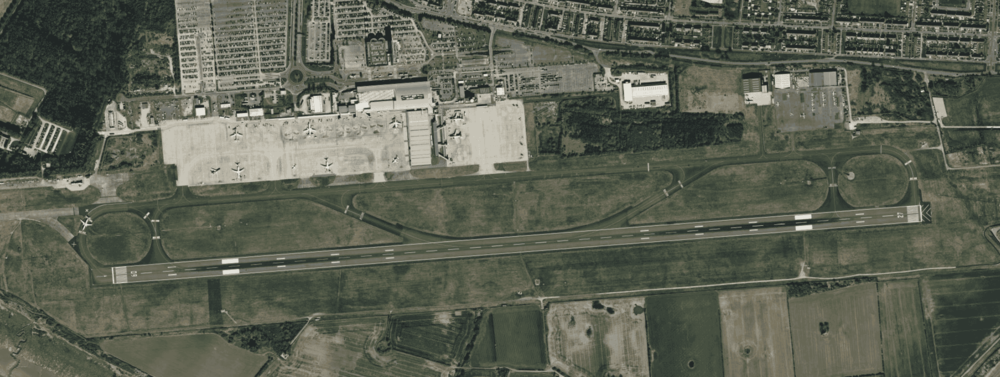
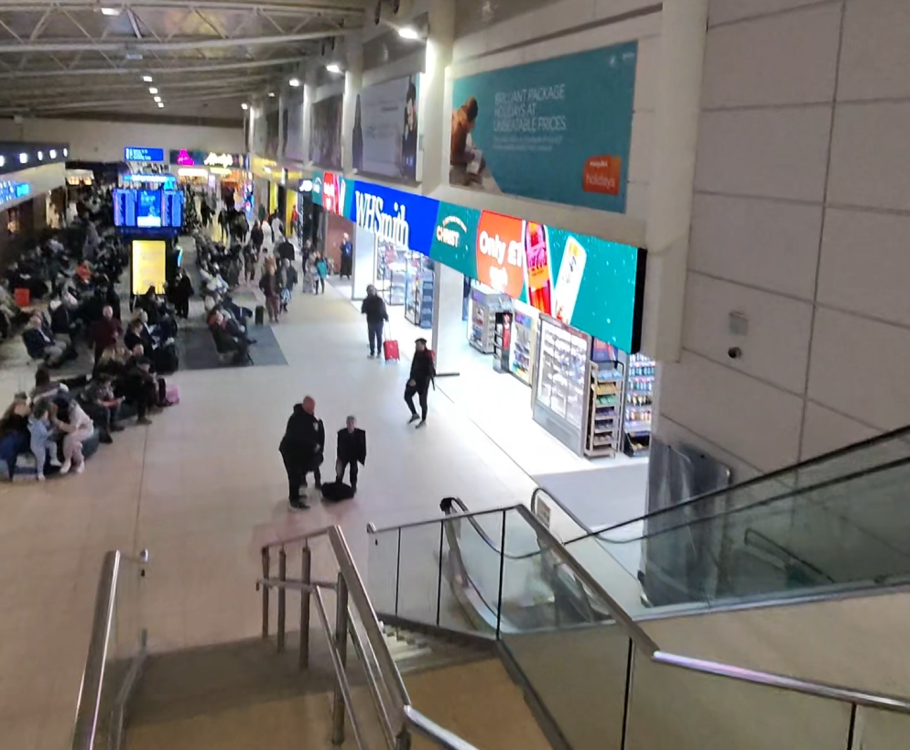
Hi, I am really enjoying the scenery and i know it literally just released a few hours ago. and i just want to point out some issues that i have found to help the INI team make LPL as realistic as possible 🙂 ------------- in the Fenix A320, i have only seen this at stand 1 so far but it may be elsewhere, at nighttime whenever i move my camera around the cockpit, the lights inside start flickering on and off. (as seen in the attached video) i have not experienced this anywhere else. 8mb.video-EiW-KHDlZUtW.mp4 ------------- Apart from the lighting issue, i live in Liverpool and therefore have flown through LPL very many times, and they have recently made some changes that i think could be good in the INI scenery. 1: WHSmith in the main departure hall: WHSmith now has expanded into the Aspire Lounge, and the lounge has been moved elsewhere. The new LED sign on the WHSmith is actually so bright that i could see it very well as i was taking off. 2: IRL, Liverpool has recently repainted their runway, instead of the touchdown zone being 3 "boxes" is it one big box, (like EGCC). I have attached some satellite scenery from apple maps as they have the most recent data from EGGP. (Picture taken 27/12/2025) Thanks, HaleyAviation :)