




Felipe Araujo
Member
-
Joined
-
Last visited
-
Hello! Yes unfortunately the problems reported previously still present at this new build. Thanks
-
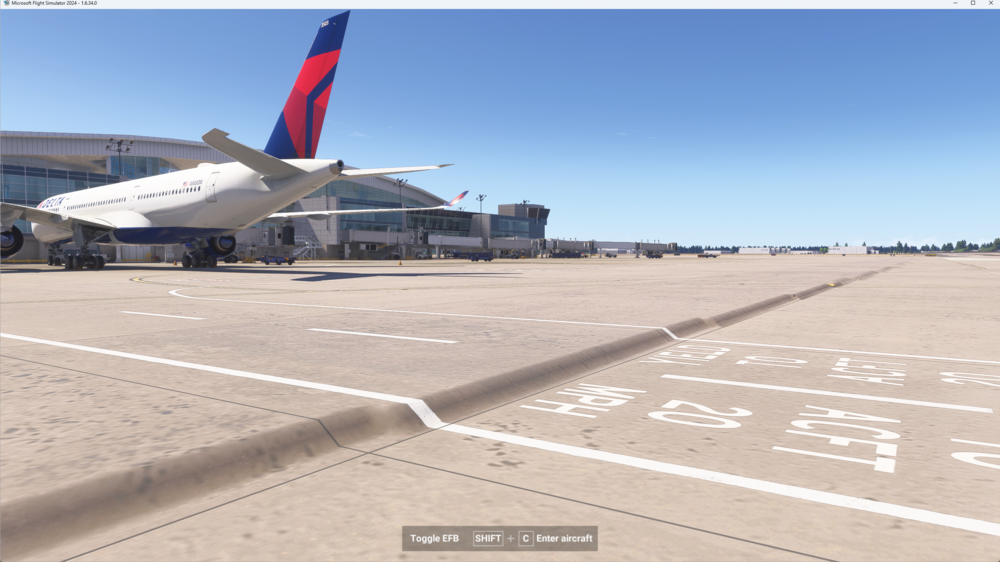
I would like to provide some feedback on the Dallas (KDFW) for Microsoft Flight Simulator 2024. Overall the scenery is very impressive with a detailed and immersive look. However, I did notice some small terrain misalignments at Terminal D, between gates D29 and D40, as well as on the runways 36L/18R and 35L/17R and 35C/17C. Specifically, when the aircraft applies power for takeoff, the smoke from the landing gear gives the impression that the takeoff is happening directly on the ground, when in fact it should be on the pavement. I know these are subtle details, but I believe that with these adjustments, the scenery can become even more accurate. Thank you for the excellent work https://imgur.com/C472Jzx https://imgur.com/B0zyVFi https://imgur.com/D4dP1kj https://imgur.com/erU9ddQ https://imgur.com/Zpa9Obo https://imgur.com/SMOEWWv https://imgur.com/kG2vi4P

