



Skip to content
View in the app

A better way to browse. Learn more.

iniBuilds Forum

A full-screen app on your home screen with push notifications, badges and more.

To install this app on iOS and iPadOS
  1. Tap the Share icon in Safari
  2. Scroll the menu and tap Add to Home Screen.
  3. Tap Add in the top-right corner.
To install this app on Android
  1. Tap the 3-dot menu (⋮) in the top-right corner of the browser.
  2. Tap Add to Home screen or Install app.
  3. Confirm by tapping Install.

Patriot Six

Member
  • Joined

  • Last visited

  1. Patriot Six replied to Kyanbi13's topic in Support
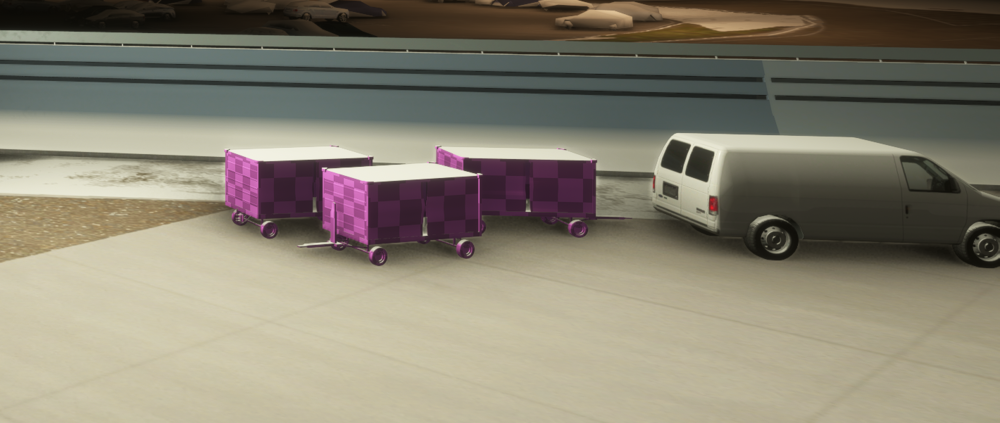
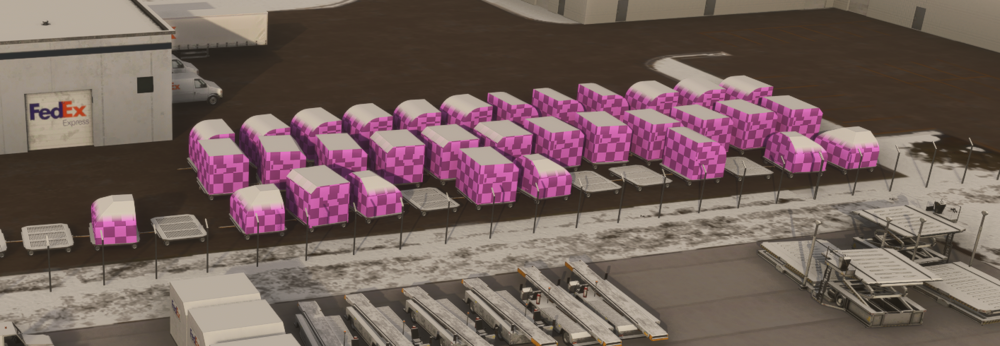
    I purchased KBUF through the MSFS Marketplace. I also noticed no GA parking. I have not flown from this airport in a while, so I gave it a try today. The GA parking would be nice, but I have texture issues in MSFS 2024. Many FEDEX containers have missing textures and the pink square pattern. To get away from the textures, I changed sides and picked a small gate. The baggage carts also have missing textures, so there is no escape. I know scenery creators are not the best at replying to feedback. I suppose comments are read, but who knows? Anyway, I hope that in the future the textures will be addressed. Patriot Six
Account

Navigation

Configure browser push notifications

Chrome (Android)
  1. Tap the lock icon next to the address bar.
  2. Tap Permissions → Notifications.
  3. Adjust your preference.
Chrome (Desktop)
  1. Click the padlock icon in the address bar.
  2. Select Site settings.
  3. Find Notifications and adjust your preference.