




Augustin
Member
-
Joined
-
Last visited
Everything posted by Augustin
-
Nevermind I just joined it
-
Will do, I’ll be back in 2 hours, and by the way, thanks for helping, I’ll send the photo soon
-
I did, but I’m stuck on the welcome page even after verification
-
I’m on Xbox series S
-
I have already reloaded the flight, but still nothing
-
Do you mean like I should reload the whole flight?
-
I’ve clicked all the buttons for external power and batteries and apu
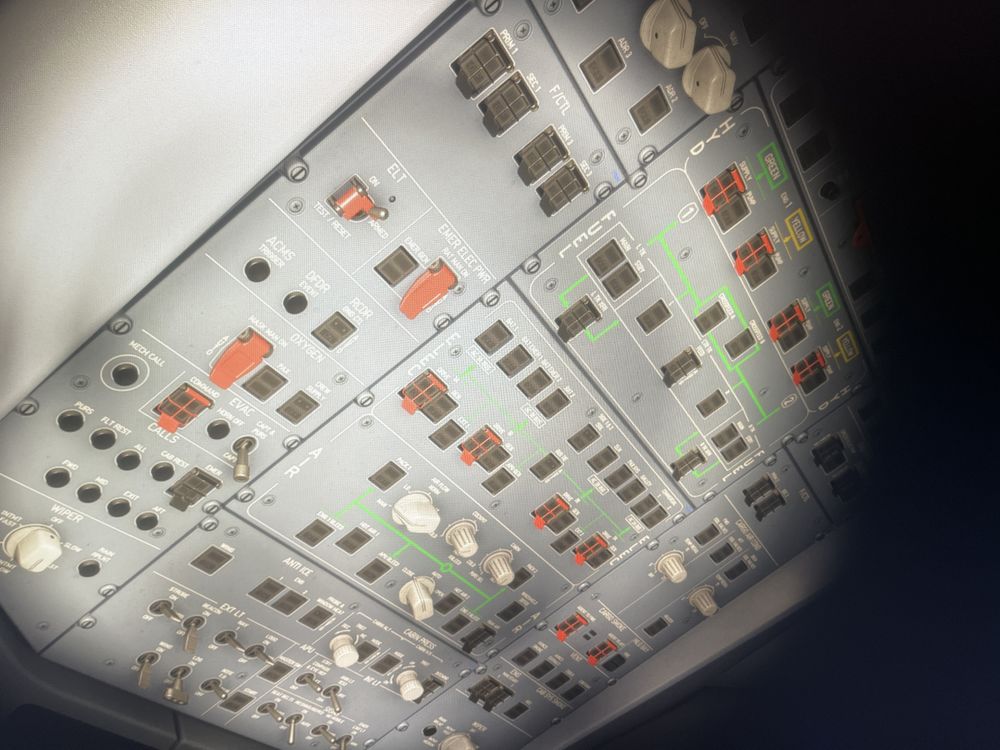 Yesterday I bought the a350, and when I loaded into a flight, none of the systems turned on, and yes I’m pretty sure I did everything right, but none of the switches would turn on, therefore I couldn’t fly, I’ve tried resetting the game, deleting and reinstalling the plane, but nothing works, please help should I return it?


