vnw123
Member
-
Joined
-
Last visited
Everything posted by vnw123
-
Hi Quick update... Just noticed that the Simmarket version is 1.0.0 so I guess its not the latest. Any help appreciated.
-
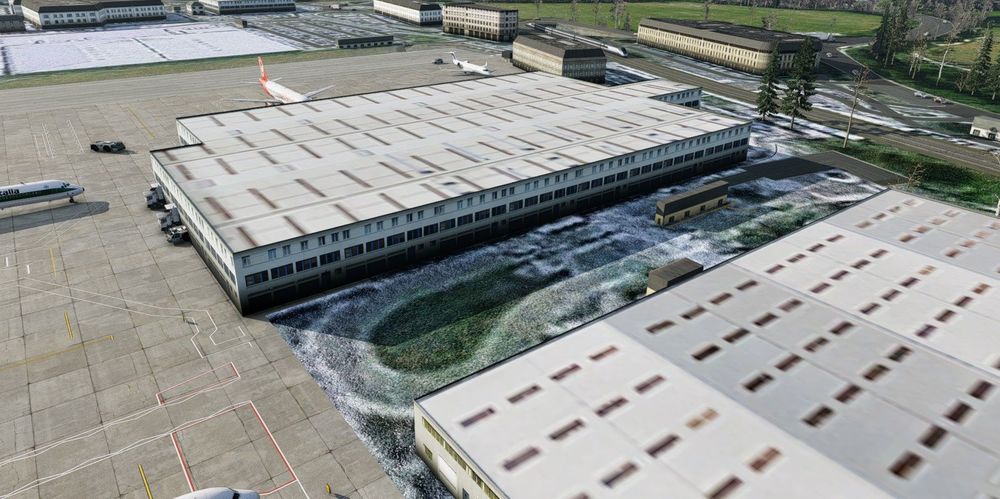
Hi, I hope you can help. I appear to be having the same issue as maxmckenz, I am running True earth. Mine still appears to run the default scenery for EGHI (As well as true earth), also I am running the latest version of X-plane 12 (non beta) 1) I am trying to install what I think is version 1.01 (I purchased from Simmarket today, I assume its v1.01 as the file size is 1.18GB I couldn't see a version number on Simmarket site it did indicate "vendor upload date of 2025-08-28" in my orders/Keys area so not sure if that is the latest or not. 2) I tried installing the Earth Nav Data fix above in this thread. 3) I added the line "SCENERY_PACK Custom Scenery/Aeroscape EGHI Southampton/" at the top and bottom of scenery Packs file as well as not adding the line at all Result is as attached, i Hopefully you can help