F1rst44
Member
-
Joined
-
Last visited
-
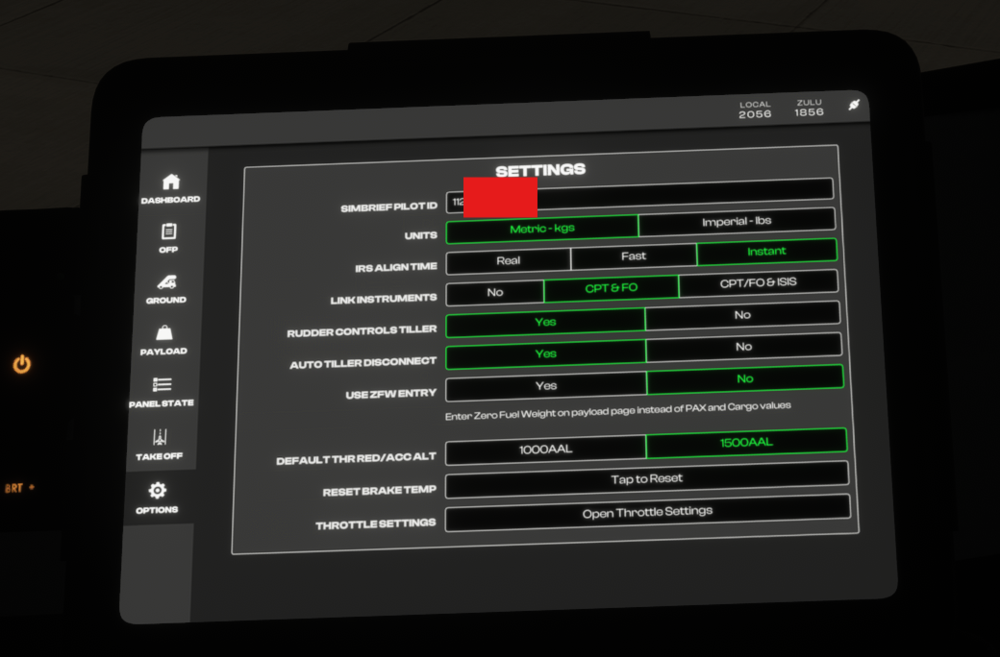
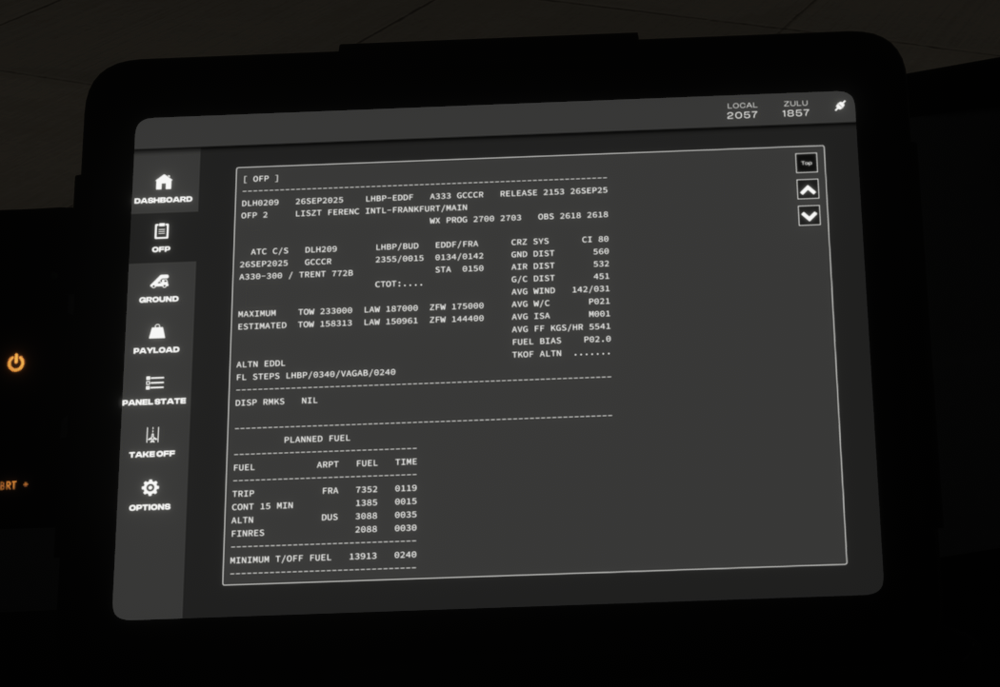
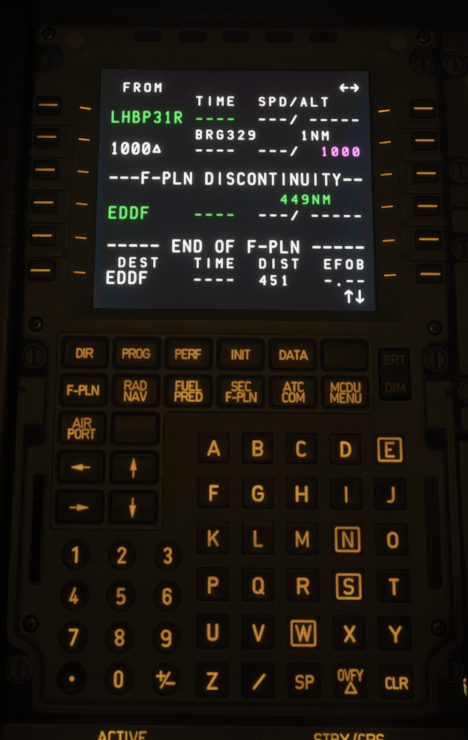
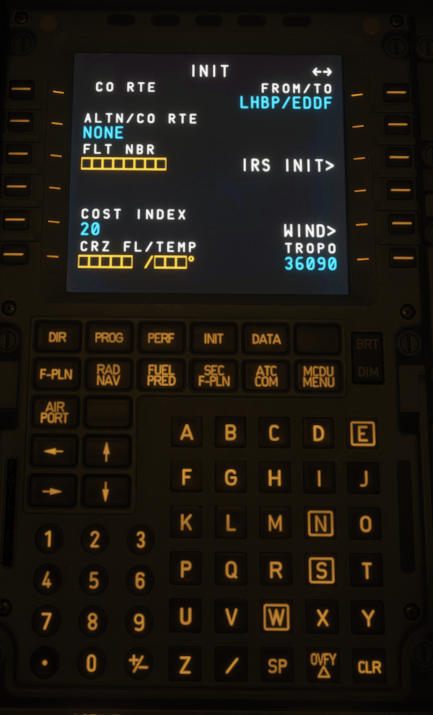
The issue I’m facing with all base iniBuilds aircraft is that my flight plan and other data are not being transferred from the EFB to the MCDU. I have my SimBrief ID correctly entered in the EFB. When I click Sync, everything loads properly — I can see my OFP, weights, fuel, runway, etc. However, when I go to the MCDU to perform the DIFSRIP procedure and try to load my data from SimBrief via the uplink, I simply don’t have the soft key for it (no INIT REQUEST option). My flight plan in the MCDU only shows the departure and arrival airports, which I believe come from MSFS’s preloaded route (when I set the departure and destination in the Free Flight menu). Because of that, I have to manually insert every waypoint. I’ve checked multiple times that my SimBrief OFP is generated with the correct aircraft type, my SimBrief ID is correct (numeric ID, not username), which i also tried reentering multiple times, and that I’m online. I also tried regenerating the flight, restarting MSFS, and testing across multiple ini aircraft — the issue persists. Please help — I’ve searched the forums and can’t find anyone with the same problem.