



Skip to content
View in the app

A better way to browse. Learn more.

iniBuilds Forum

A full-screen app on your home screen with push notifications, badges and more.

To install this app on iOS and iPadOS
  1. Tap the Share icon in Safari
  2. Scroll the menu and tap Add to Home Screen.
  3. Tap Add in the top-right corner.
To install this app on Android
  1. Tap the 3-dot menu (⋮) in the top-right corner of the browser.
  2. Tap Add to Home screen or Install app.
  3. Confirm by tapping Install.

JabbatheHutt87

Member
  • Joined

  • Last visited

  1. I am aware that the approach has to be visual. My point is that none of the published fixes are even close to the actual approach path (as least for my case with the A350).
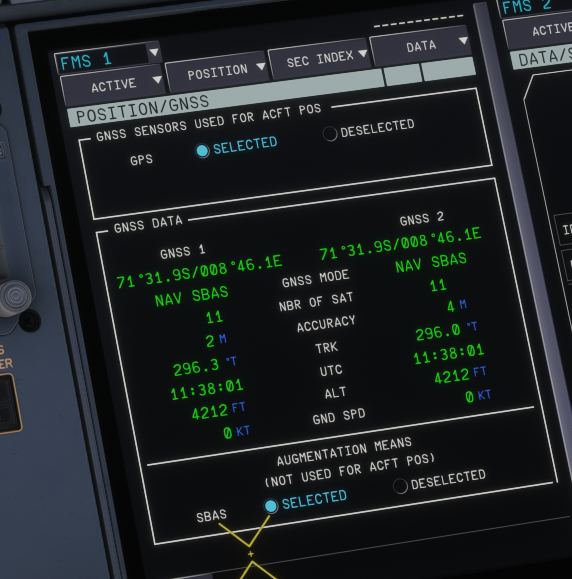
  2. I just finished the first flight to AT98 with the A350 using the exact custom waypoints for the approach according to the provided information by IniBuilds. When approaching, I realized that the approach path to runway 17 was offset by a couple of miles left from the actual runway and the approach altitudes were too low. The attached screenshot shows the GNSS information directly within the touchdown zone of runway 17 (confirming the differences to the provided information). Anyone else having experienced the same issues?
Account

Navigation

Configure browser push notifications

Chrome (Android)
  1. Tap the lock icon next to the address bar.
  2. Tap Permissions → Notifications.
  3. Adjust your preference.
Chrome (Desktop)
  1. Click the padlock icon in the address bar.
  2. Select Site settings.
  3. Find Notifications and adjust your preference.