




Avgustin
Member
-
Joined
-
Last visited
Everything posted by Avgustin
-
Yes my sim and Airac have always been up to date. I did a flight yesterday in MSFS2024 in the Inibuild A330-300 and the aircraft behaved the exact same way as the A320neo. When I made a direct, the whole route actually got deleted from the MCDU. And I had to fly the aircraft on heading all the way down to the runway. I have been flying in the sim for the past 20 years - and I´ve been working onboard the airbus (A319/320/321/330/340/350) for many years in real life - I should know how to fly the aircraft. But I am surprised how I am the only one with this problem.
-
-
Hey again, Thank you for your reply. I look very much forward to see what you find out. From my perspective it´s sad to see how such a great looking aircraft ruins the experience with the faulty systems. for your information the pictures I send to you were taken after 2nd use of the Direct page in FMC: Ususaly the first attempt is not perfect, but it´s better - and any attemt to go direct after the first one, will fail completely.
-
Here is a Wetransfer link to a video showing exactly what happens: https://we.tl/t-81yEp6cBeS7o5MvY The link is active for 3 days only I made the aircraft go directly to ELBUX in the FMC. The aircraft writes MAXIV, as you can see on the ND, which means it doesn't even register the correct waypoint when trying to go direct. And even after registering MAXIV (incorrectly), the aircraft turns in the complete opposite direction of both ELBIX and MAXIV.
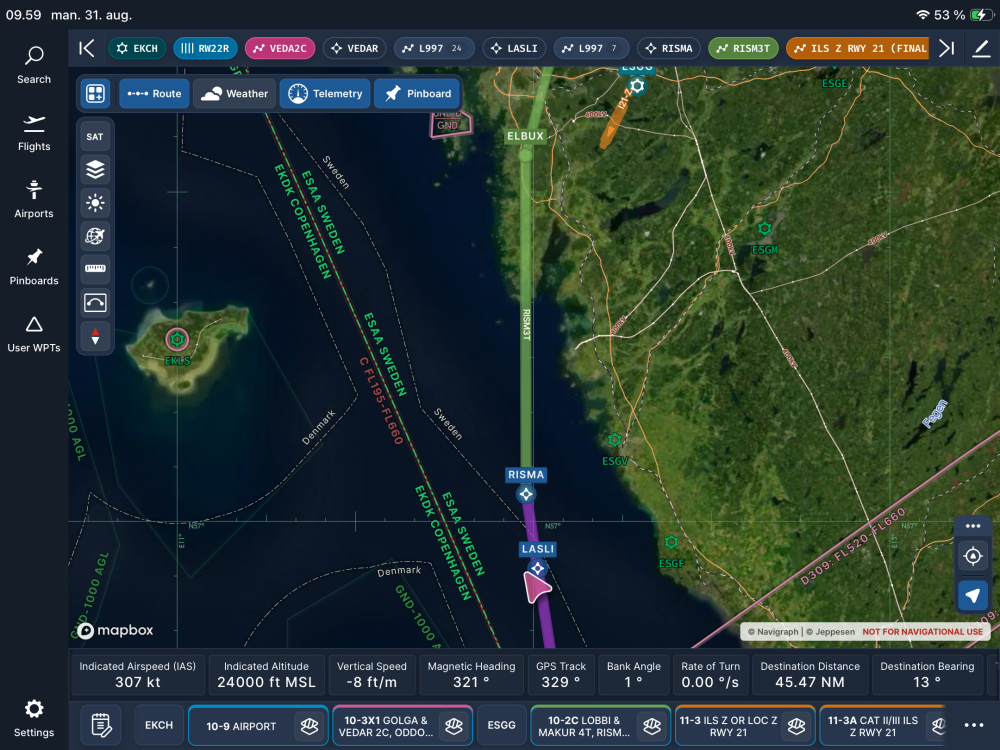
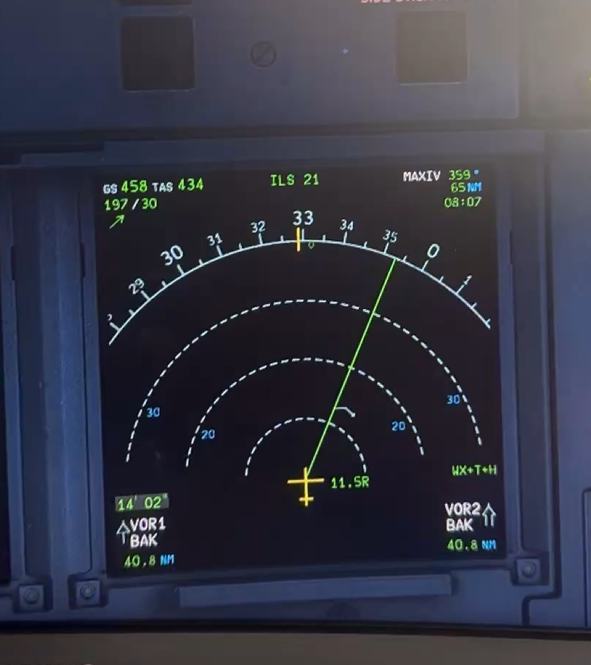
-
-

