Ivann_007
Member
-
Joined
-
Last visited
Everything posted by Ivann_007
-
Decided to give this plane a spin tonight. Encounter a major issue with the autopilot though. After selecting an ILS approach and fly direct to the IAF, the plane started hunting left and right the GPS course. Both the CDI and GPS needles appeared to be shaky. Once in the main menu, had a CTD (could be related). Love this plane, but the execution and quality standards have been utterly disappointing. https://www.youtube.com/watch?v=nhMEyUxRwX8
-
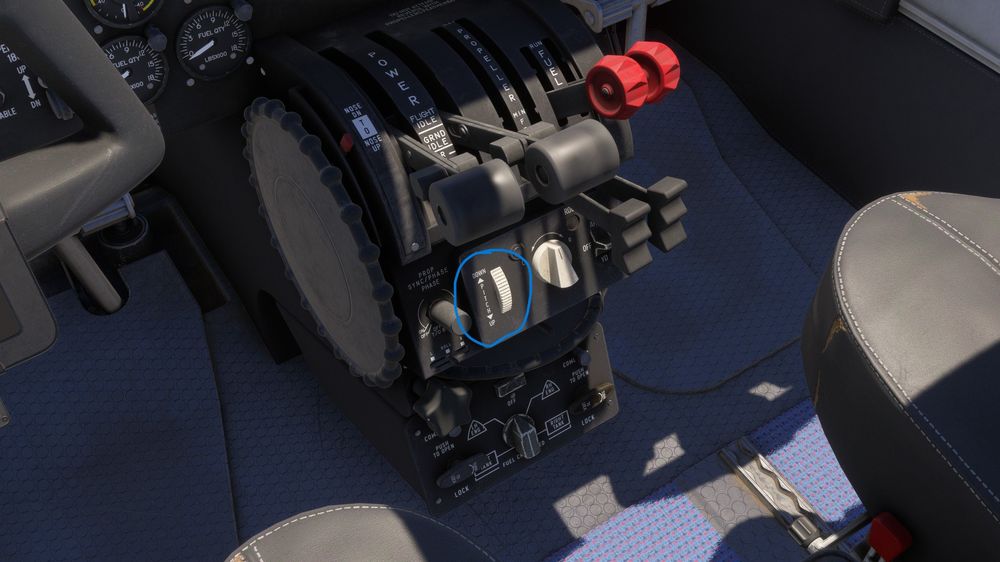
Could you please indicate what's the specific command for mapping this function?
-
As of now, I have been unable to map vertical speed control to a physical button (MSFS 2024). This would be extremely convenient as it is pretty immersion-breaking to move down the camera and adjust the VS with the scroll wheel.
-
Is it only me but the engine sound on cruise is excessively high? Have you considered implemented a headphones simulation? That would be very convenient.
-
As reported, whenever the aircraft is used, the program just freezes when quitting to desktop (SU2).