



Skip to content
View in the app

A better way to browse. Learn more.

iniBuilds Forum

A full-screen app on your home screen with push notifications, badges and more.

To install this app on iOS and iPadOS
  1. Tap the Share icon in Safari
  2. Scroll the menu and tap Add to Home Screen.
  3. Tap Add in the top-right corner.
To install this app on Android
  1. Tap the 3-dot menu (⋮) in the top-right corner of the browser.
  2. Tap Add to Home screen or Install app.
  3. Confirm by tapping Install.

Binky

Member
  • Joined

  • Last visited

Everything posted by Binky

  1. I’m having the same issue. I’m on Steam SU3 beta using cargo variant. Tried starting cold and dark and auto start. Checked all key bindings and peripherals so far to no avail. At current time plane unusable until such time as a solution can be found and implemented. Disappointed
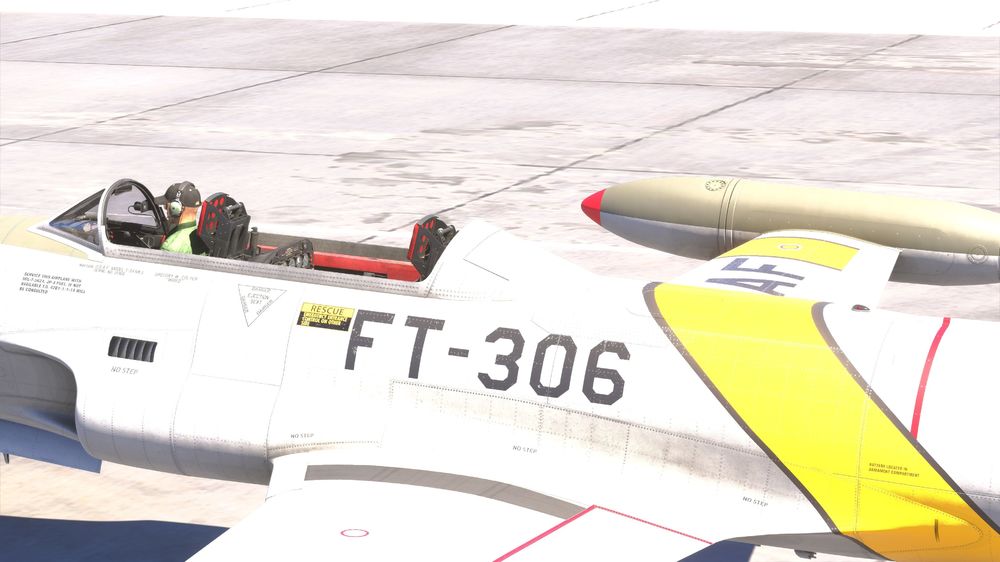
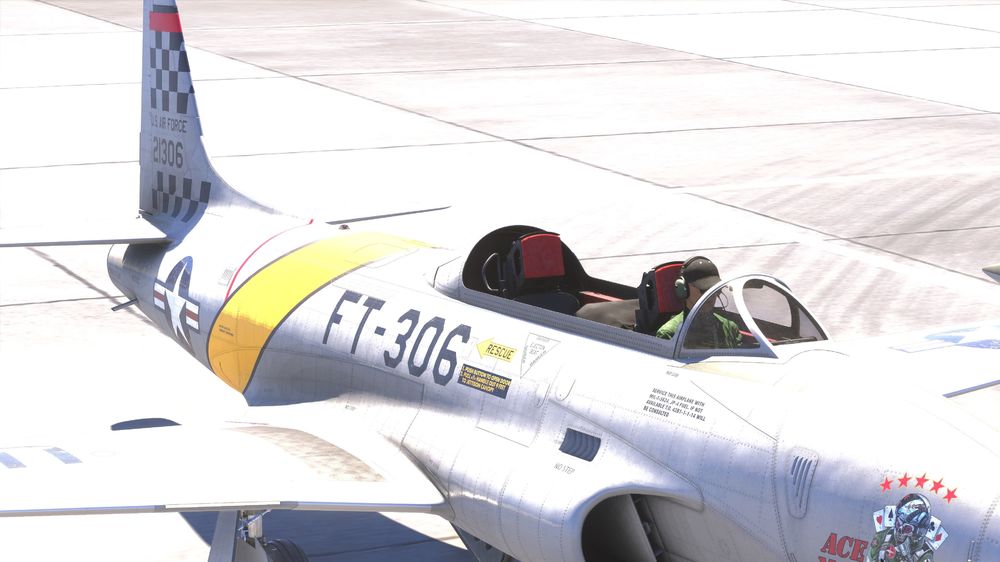
  2. I have just purchased the T-33 for use in msfs 2024. I’m on Steam for PC. I’m also on SU3 build 1.5.8.0 in sim. I loaded in for my first flight and much to my disappointment the canopy is not visible in external view although it appears to be present on internal view. Is there anything I can do to remedy this or have I just got to wait for someone to update something ?
Account

Navigation

Configure browser push notifications

Chrome (Android)
  1. Tap the lock icon next to the address bar.
  2. Tap Permissions → Notifications.
  3. Adjust your preference.
Chrome (Desktop)
  1. Click the padlock icon in the address bar.
  2. Select Site settings.
  3. Find Notifications and adjust your preference.