Ludwig Missiaen
Member
-
Joined
-
Last visited
Everything posted by Ludwig Missiaen
-
Hi, Thanks for the reply. My data bases are always up to date with a Navigraph subscription. Ludwig
-
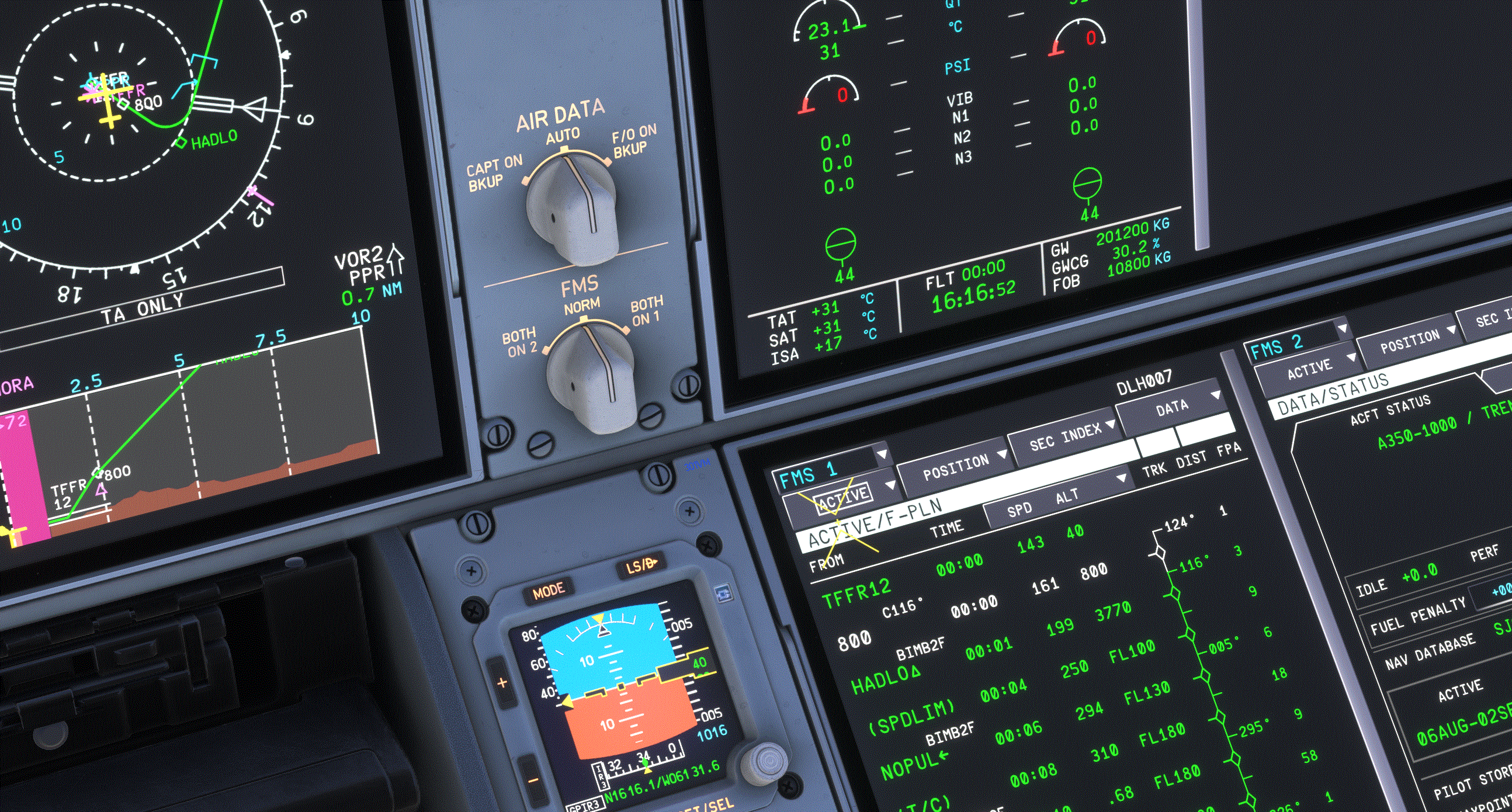
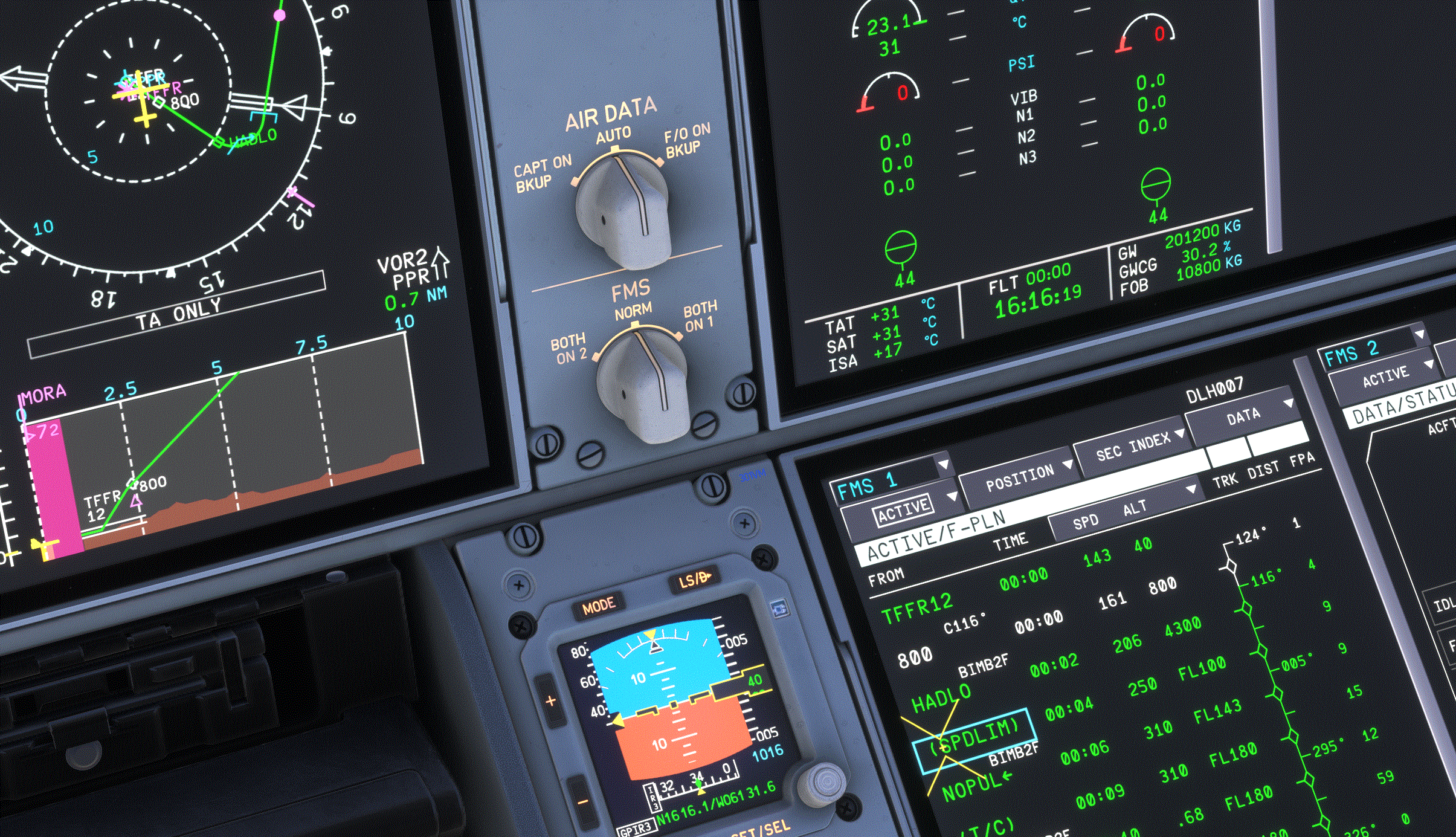
Dear IniBuilds, I very much enjoy your A350 since I like very modern airplanes. I however want to report something strange at TFFR airport. When I select OVERFLY HADLO in the MCDU, I get NO OVERFLY HADLO in the navigation display. When I select NO OVERFLY HADLO in the MCDU, I get OVERFLY HADLO in the navigation display. Is this a bug? Kind regards, Ludwig PS: I also cannot do an oxygen test, but this bug has been reported by others in the forum.
-
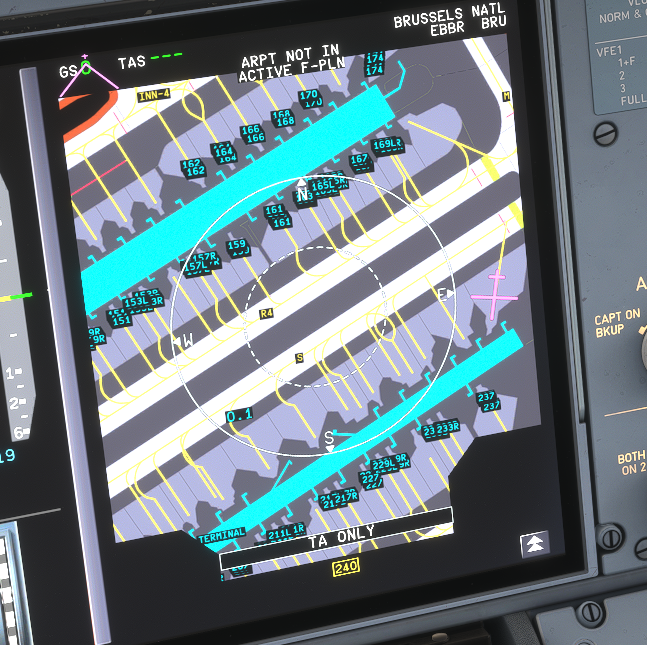
Dear iniBuilds, Lufthansa Airbus A350-1000 just arrived at gate 240 in EBBR Brussels National. Gate 240 is not labelled. None of the gates at this side of apron 2 are labelled. Other gates are correctly labelled. This incomplete labeling occurs in every flight. Kind regards, Ludwig