1220134760
Member
-
Joined
-
Last visited
-
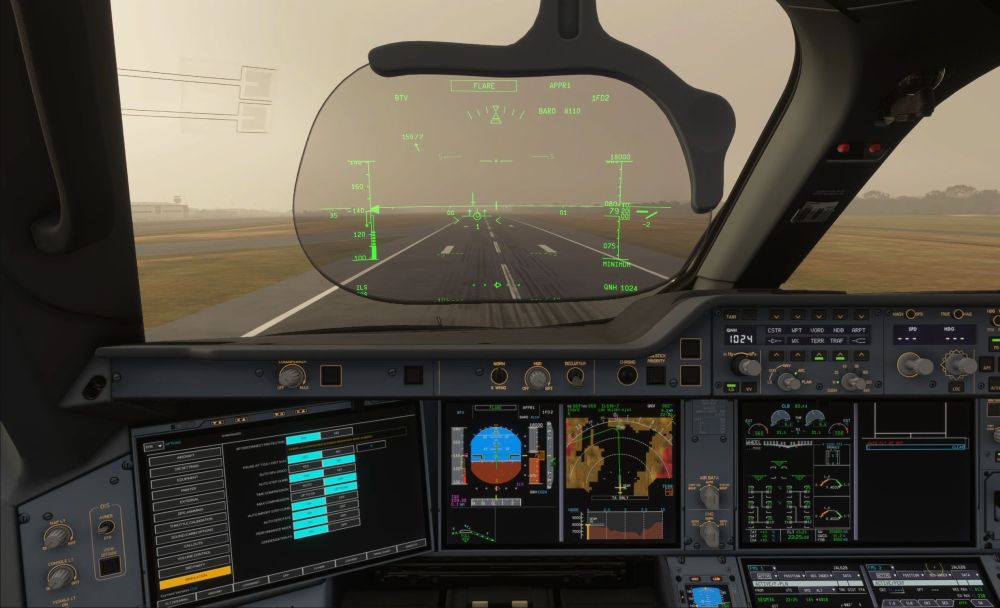
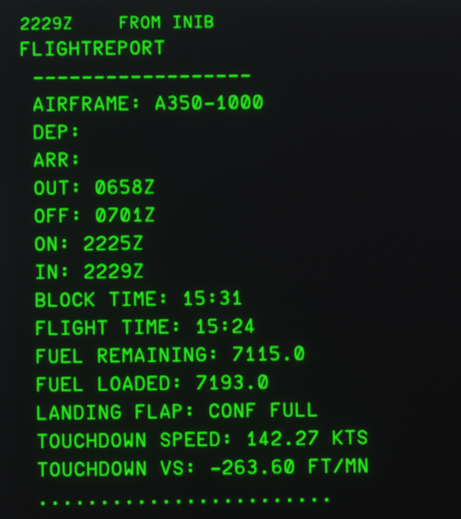
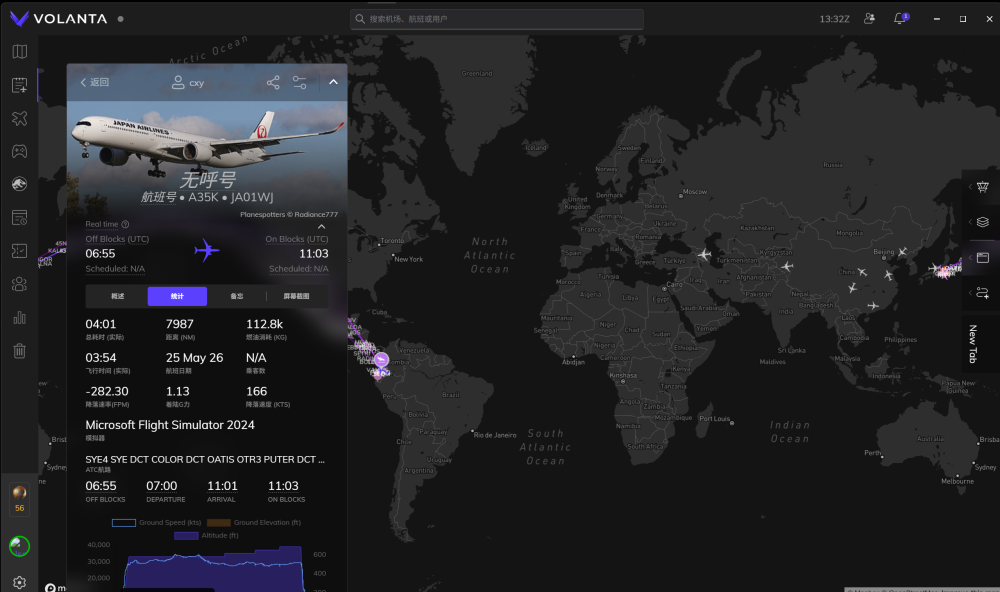
Dear iniBuilds Development Team, I am writing to report a recurring telemetry calculation issue in the A350 flight report system, specifically when operating at high-altitude airports (e.g., SEQM, elevation ~7,900ft). The Discrepancy: Upon touchdown, the aircraft’s landing performance was physically smooth, with the Radio Altimeter (RA) providing precise and steady closure rates (the 5-4-3-2-1 callouts were perfectly paced, confirming a stable and gentle flare). However, the generated in-built landing report recorded an inflated Sink Rate (-263.60 ft/min) and G-force (1.13G), which contradicts both the smooth tactile feedback and the reliable RA data. Root Cause Analysis: After reviewing the logs, I have identified the probable logic error in your touchdown telemetry script: Velocity Input Confusion: The report recorded a touchdown speed of 142.27 KTS, which is equivalent to the Indicated Airspeed (IAS) at this altitude, rather than the actual Ground Speed (GS) / True Airspeed (TAS) of 166 KTS. Mathematical Amplification: It appears your vertical acceleration/velocity calculation formula uses horizontal speed as a vector component (or denominator). By using the incorrect IAS instead of GS, the formula essentially "compressed" the denominator, leading to an artificial inflation of the Vertical Speed and G-force results. Cross-system Dependency: The internal sound engine and HUD/PFD display mapping seem to be triggered by this corrupted VS value, resulting in an unnaturally "hard" landing sound and visual data that does not reflect the actual physical state of the aircraft. Recommendation: Please ensure the WASM module’s landing telemetry logic is updated to utilize Ground Speed (GS) or True Airspeed (TAS) for all kinematic calculations, instead of relying on uncorrected IAS, especially for high-altitude operations. Thank you for your hard work on this aircraft. I hope this technical breakdown helps in optimizing the flight report system. Best regards,
-
Always freeze all instruments halfway, even without any operation or background consumption. The WASM error claims no picture file found. I have uninstalled and clean the WASM remains and reinstalled without Windows defender on, as well as other protective software, but I cannot find these pictures in the main folder. WASM ERROR LOG.txt
-
I just find the open button but cannot find the close button after opening.