





theglideslope
Member
-
Joined
-
Last visited
-
Oh, dyslexic me... 110.05 is not 110.50... My bad. Disregard, then.
-
Hello all. During my last flight, I've made a slight mistake that cost me my ILS approach. The issue isn't the error I made but how the plane reacted when I tried to correct it. On my approach to Athens (LGAV) the briefed approach was to runway 03R and that's what I programmed in my FMS. However, ATC had other ideas and I noticed on ATIS that the active arrival runway was actually runway 03L. In my rush to change everything, I messed up the approach selection in the FMS and given I was flying solo (of course), I didn't have corroboration and was overwhelmed with the procedures. This was my error, I kept the ILS-Z to runway 03R on the FMS, but I did tune in the correct frequency and runway course for the ILS-Z 03L on the physical ILS radio. When I noticed the wrong orientation while still on FMS navigation, I understood my error, but thought I could save the approach by doing a side step to 03L and activate the ILS in LAND mode, because I knew for sure (and confirmed) the frequency was correct. To my disbelief, even though I confirmed again the frequency and course, the LOC or GS didn't capture, in fact the ND remained in V/DEV mode, forcing me to a pure visual approach. Watch here (timestamped to the moment). Please apologize for the unintentional plug: https://www.youtube.com/live/Qslc0LIGhXw?si=vtSM241bhdZMPMOj&t=7353 I've done this several times, especially with non direct approaches to ILS in aircraft that have separate ILS/VLOC modes from the FMS, like the Fokker 70/100, for example. For me, this sounds like a bug, where the airplane is only reading from FMS data, "expecting" the same ILS frequencies and course of the pre-briefed approach. That or this is just how the real airplane works. Please clarify if you can.
-
Take this with a grain of salt. Could be a placeholder turned to "major news". https://msfsaddons.com/2026/07/25/synaptic-a220-price-revealed-days-before-its-marketplace-launch/
-
-
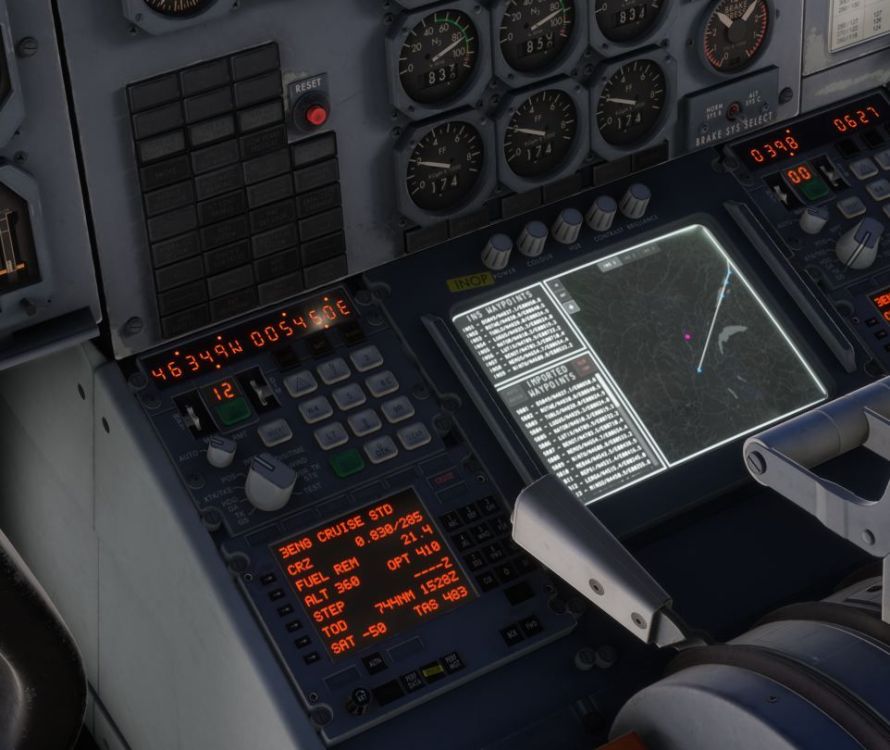
Just an update, I followed this exact procedure, including setting the RMT mode during INS data import. Again, pressing the Auto-Batch button does nothing to load waypoints 10 and on, reverts back to waypoint 1 like the described bug above. Thanks. Let me know if further testing is needed.
-
-
-
-
-
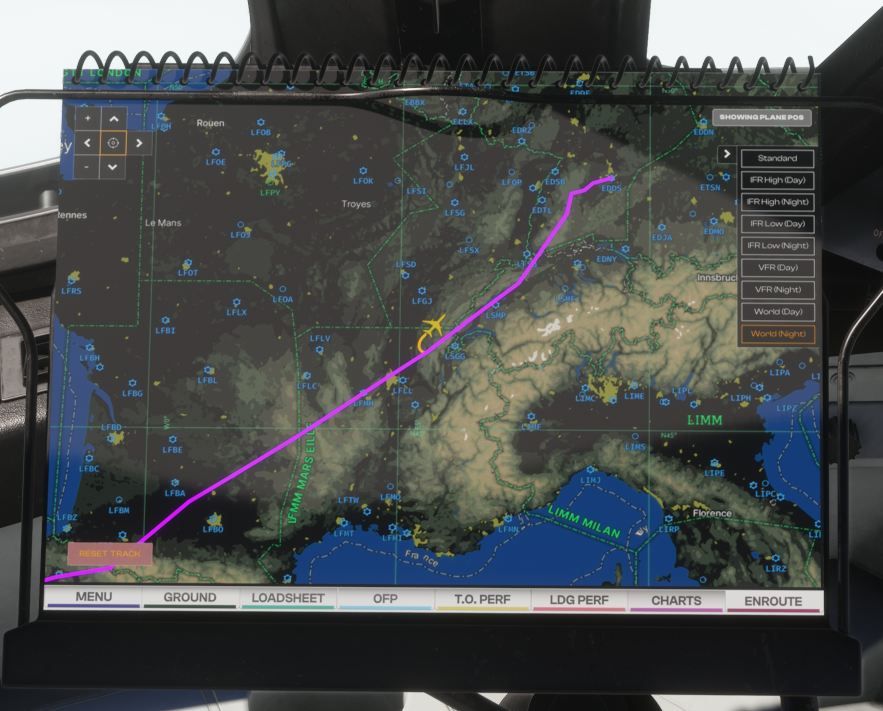
Hey all. I'm having this very weird and upsetting issue flying the L1011. For some reason, the INS system isn't automatically filling in the waypoint batches automatically. I've done this procedure the same way since launch. Tell me what I'm doing wrong. I just load the Simbrief flighplan, import it to INS and then press the "load batch" button on the screen. Once it reaches Waypoint 9 it correctly moves to "9-1" but doesn't update wpt #1 to the new waypoint, so it just turns around.
-
Noticed this myself. What's worse is that if you use time compression (2x or 4x) it seems to accumulate an error over time and it eventually ends up completely stop working. At some point I even had to restart BATC because with the A300 and time compressed it seems to fail.


