




bjhjeong01
Member
-
Joined
-
Last visited
-
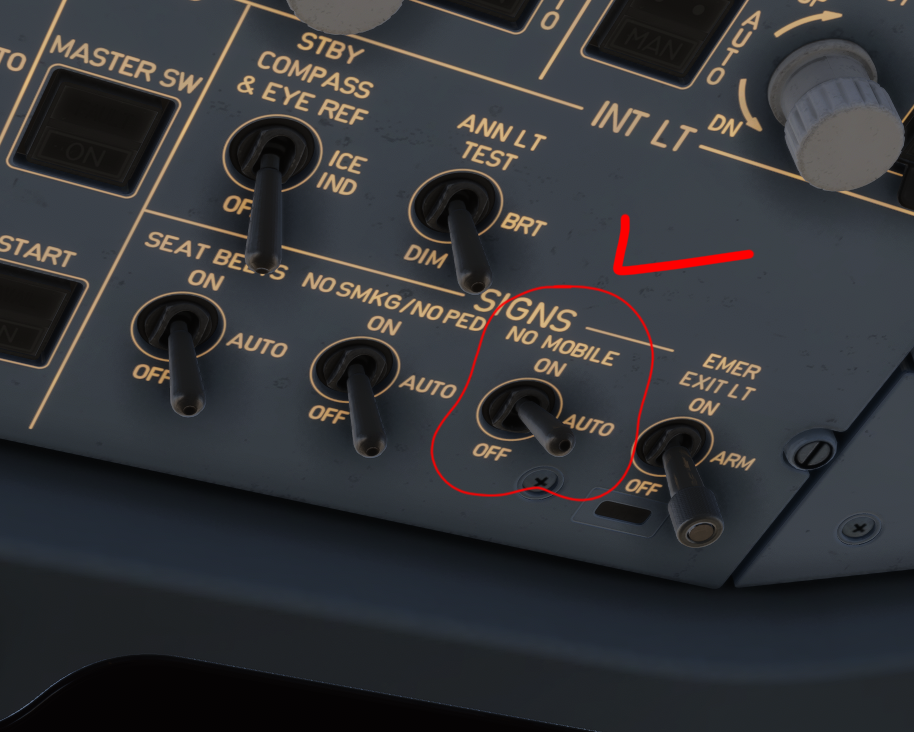
Hello, I'm not sure if this is a bug but I noticed that toggling the NO MOBILE switch on the overhead panel produces no chime sound at all, even though the SEAT BELTS and NO SMOKING switches work fine
-
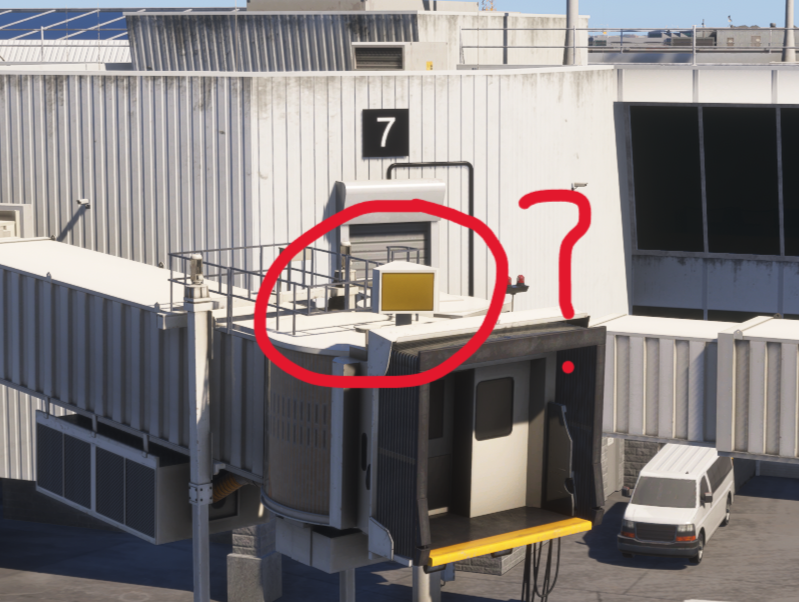
Hello! Thank you for your reply It's JFK terminal 1. The photo above belongs to another user, and the one below is mine. I'm certain there was a number displayed on jetway
.thumb.png.6c9290a69f7732979b3ac7f009177373.png)
-
Hello, I've noticed that some jetways in the iniBuilds KJFK(MSFS2024) scenery are missing gate numbers on their roof displays. Instead of the gate digit, the displays are currently blank
-
Yes, so I'm already trying it that way
-
I see Is there a solution?
-
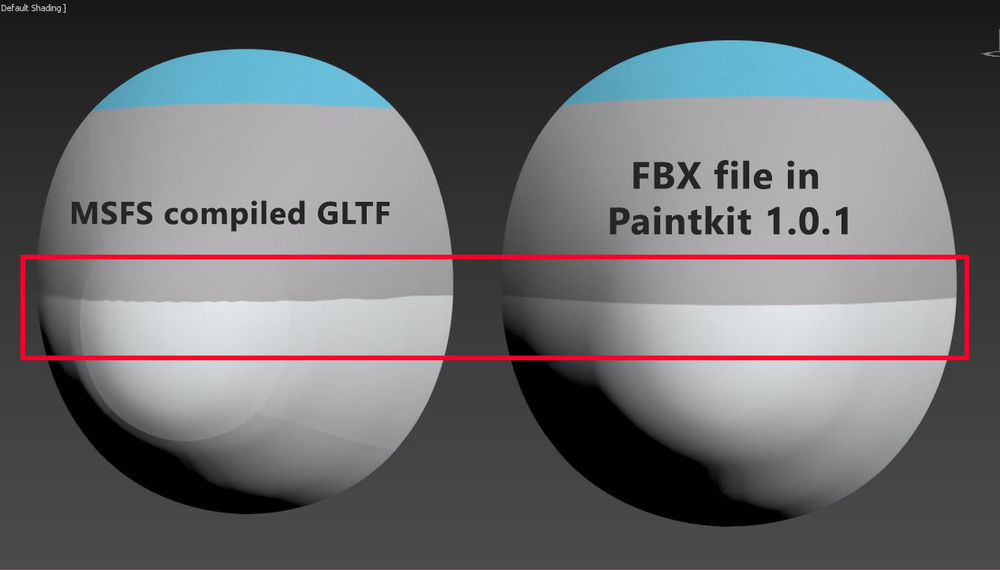
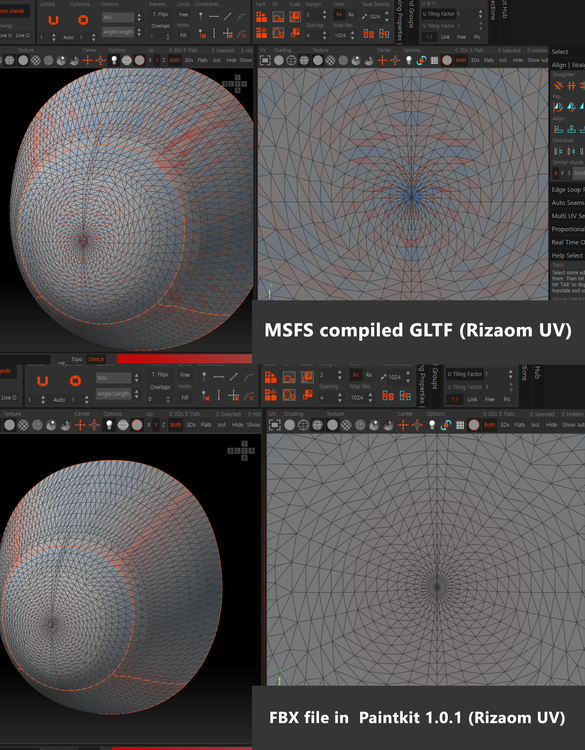
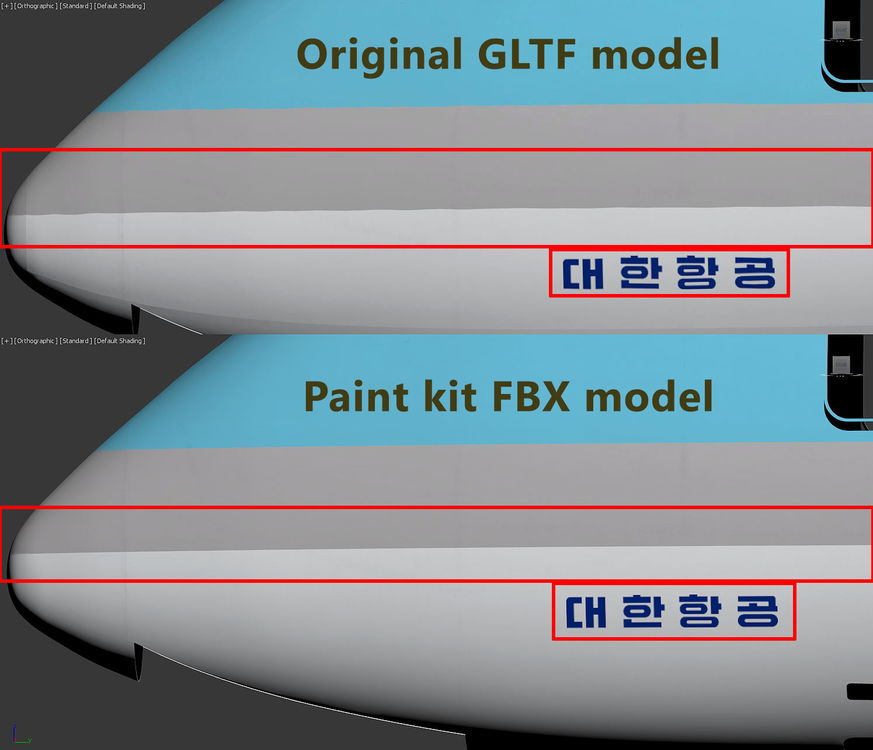
I use the FBX file provided to Paint Kit to create livery using a blender or 3D Max. But in the FBX file However, during the work process I checked the color lines or airline decals of the livery clearly applied in advance through a blender or 3d max but when applied to simulators, some decals and lines drawn are not uniform and look crushed So I compared the original gltf with the uv map of paintkit fbx file The paint kit FBX uv map is soft but the uv of the original gltf is crushed English is not my language so I may lack explanation but I attached reference images

.png.92e7d771b3485442d16af20e87e7586b.png)


