TrooperSmithy
Member
-
Joined
-
Last visited
Everything posted by TrooperSmithy
-
Thank you for the input!! Ill take a look at this soon as I am back at the pc later in the week! Fingers crossed thats just the case of re-validating the path to fix the issue!
-
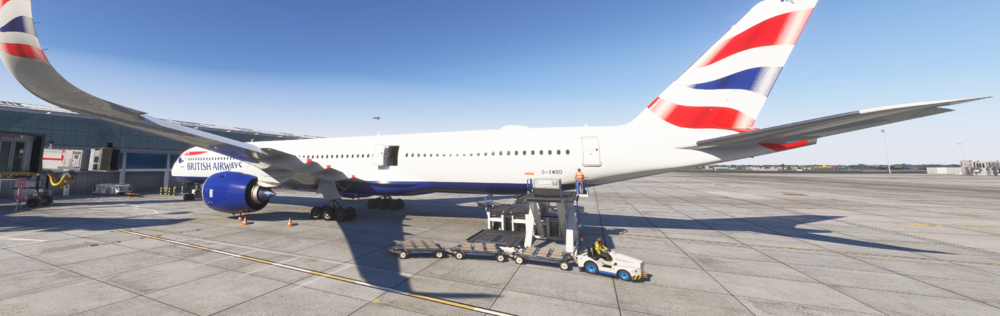
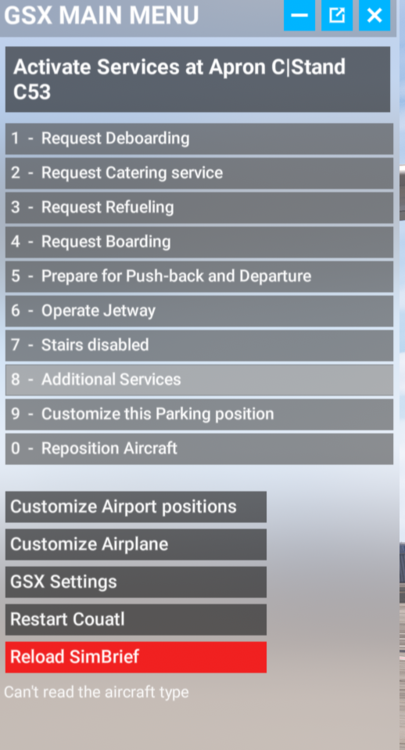
Two of the main issues I am currently having right now with GSX and the A350 are the cargo loaders never go to the actual cargo doors on the aircraft as well as when bringing up the GSX menu, it is informing me that it cant read the aircraft type. This was all okay before I updated to the recent update a few days ago. I have even tried uninstalling the aircraft and installing it again, tried uninstalling and installing GSX but nothing. I have even tried to use a GSX profile from flightsim.to to see if it will work but I cant even get that to work no matter where I put the file. This issue has only been happening on the 2024 aircraft, 2020's have been working perfect.