



Skip to content
View in the app

A better way to browse. Learn more.

iniBuilds Forum

A full-screen app on your home screen with push notifications, badges and more.

To install this app on iOS and iPadOS
  1. Tap the Share icon in Safari
  2. Scroll the menu and tap Add to Home Screen.
  3. Tap Add in the top-right corner.
To install this app on Android
  1. Tap the 3-dot menu (⋮) in the top-right corner of the browser.
  2. Tap Add to Home screen or Install app.
  3. Confirm by tapping Install.

FGF

Member
  • Joined

  • Last visited

Everything posted by FGF

  1. FGF replied to FGF's topic in General Discussion
    Hello Eddie, many thanks for your answer. I use the 350 on the computer in MSFS24...before the sim - or the ini update none of these "bugs" happened. Same for the cabin it randomly disappears. I tried with zooming in and out, but sadly it stayed in that state of bug. I hope on the next update you might have a fix for that, looking forward to this. Cheers 🙂
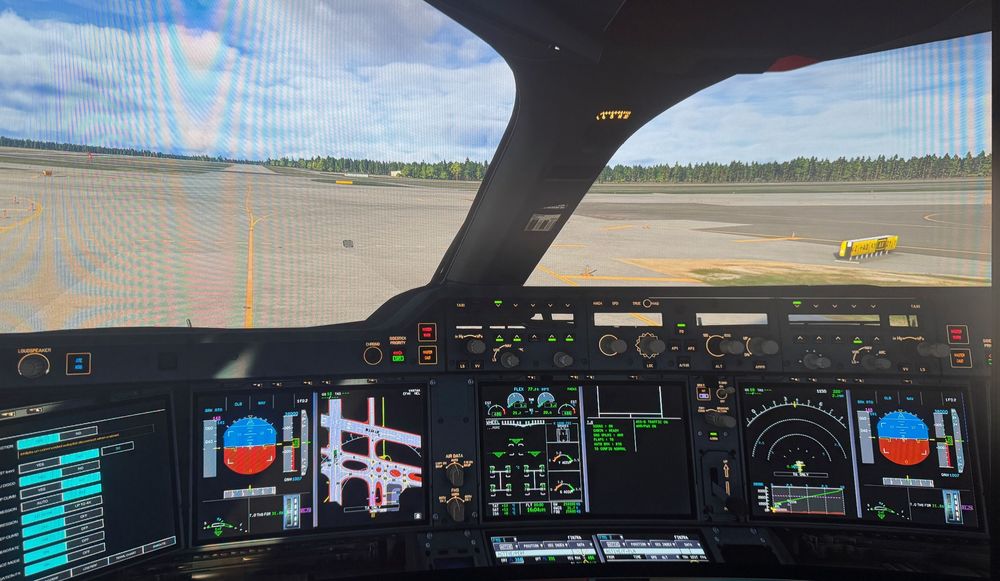
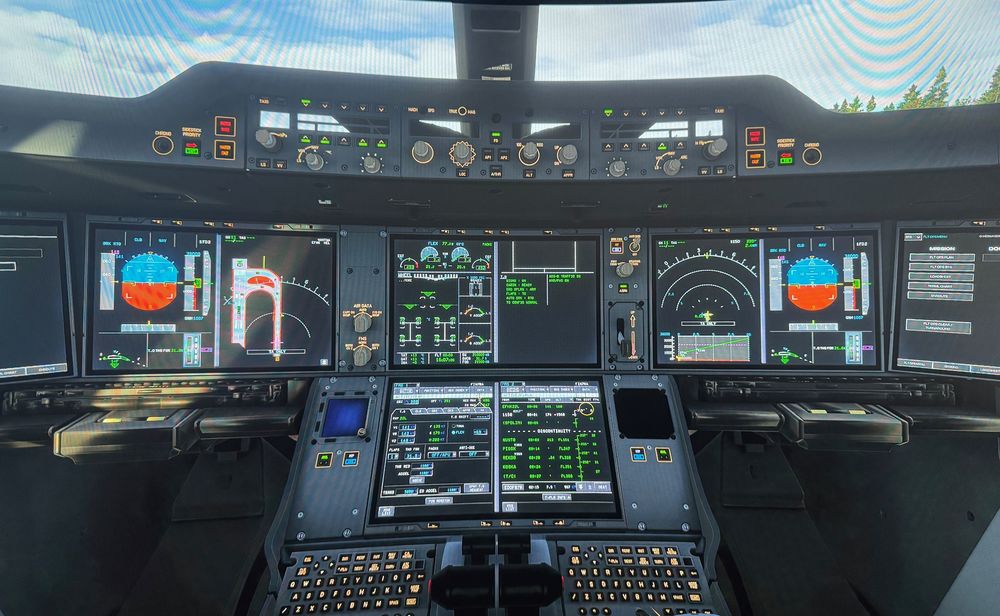
  2. When switching from an external view into the cockpit view, most of the lights are illuminated for a while and stuck...until the system recovers itself. Happened after official sim update 3 release. In the MCP panel the numbers are missing and it looks transparent. Freshly installed, but no fix.
Account

Navigation

Configure browser push notifications

Chrome (Android)
  1. Tap the lock icon next to the address bar.
  2. Tap Permissions → Notifications.
  3. Adjust your preference.
Chrome (Desktop)
  1. Click the padlock icon in the address bar.
  2. Select Site settings.
  3. Find Notifications and adjust your preference.