




Platypus
Member
-
Joined
-
Last visited
-
i have tested with SU1 beta 3 : still no luck, same problem cargo variant not usable with stutters
-
Hi ini please don't let this plane down ! do you have any clue on this issue? do you plan any update soon?
-
Dear INI same issue here Destination airport NZAA - approach VOR DME 23 L >>> sim freezes i have navigraph installed
-
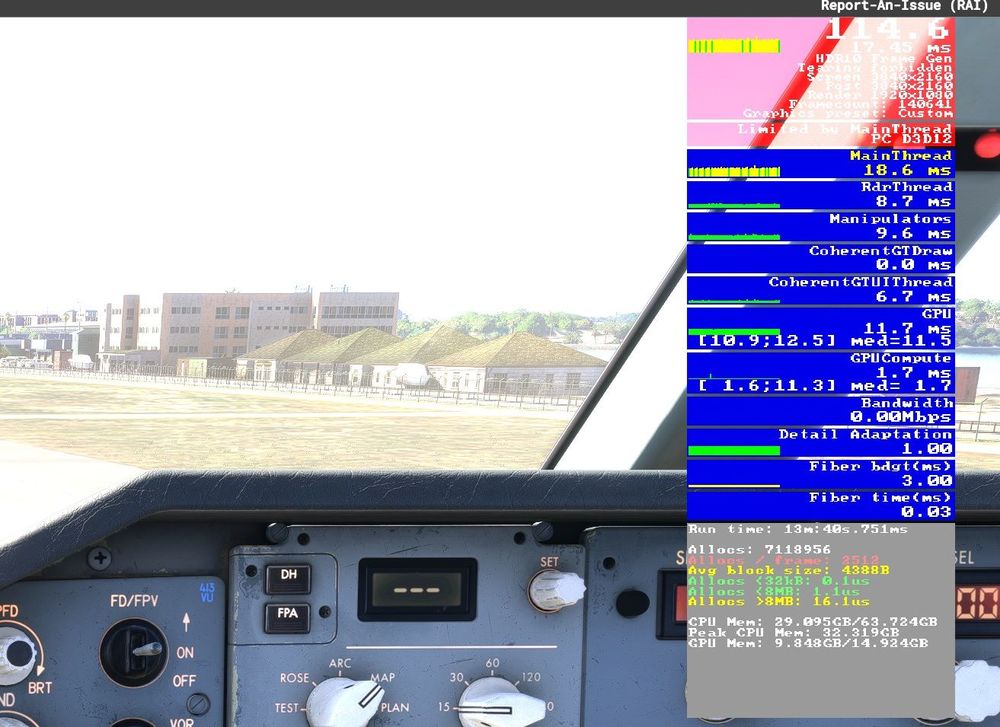
Hello Ini here are the results attached on my side MSI RTX 4080 Ventus 3X OC Intel Core i7-13700K 64 Go or RAM TNCM runway 10 noon > ok i have very frequent stutters with cargo. A bit less with passengers
-
i had the exact same issue with passenger GE version today. I ll try another flight
-
its ok now on my side since Msfs 2024 last update 1.2.8.0. It is now very smooth.
-
on my side i get also lots of stutters with Cargo Versions > not playable. Passengers versions are fine, i don't have those stutters , i did 4 cool flights Other bug, i get systematic CTD when leaving a fly and going back to the menu.
-
hello inibuild i have good frame rates > 80 fps in msfs 2024 but lot of stutters around the terminal. i don't get same issue at other big airport like ksfo. any clue? thank you for support
-
Hello Inibuilds i have installed FOAR airport in msfs 2024 but i don't see any 3D people in the airport. I don't have this issue with other airport in msfs 204 like KPSP where i can see the 3D people. The 3D people button is placed correctly within the scene settings coud you please have a look? Thanks

