



.jpg.0db5bc222d9c90f42c65a7e73ba56da5.jpg)

cseilerdee
Member
-
Joined
-
Last visited
-
Hi all, just confirming his has been solved now. I had to request from inibuilds a transfer of my MSFS 2020 marketplace KLAX version to the inimanager. Then I was able to use the voucher "KLAX-UG" for the 2024 KLAX version. Thanks.
-
Thanks. I have logged into my inimanager and am unable to use that discount code. Do you know what the reason would be?
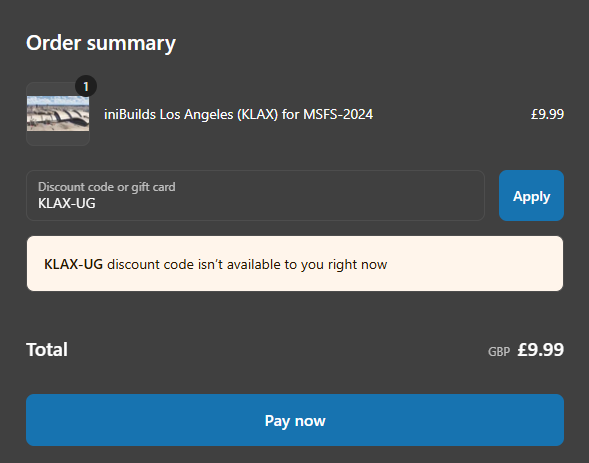
-
Thank you for your response. Oops, not sure why the image didn't work. Can you see it now? I have attached it. I'd be surprised if KLAX 2020 wasn't compatible at all, given nearly every other airport has worked quite well. But thank you for your suggestion/workaround
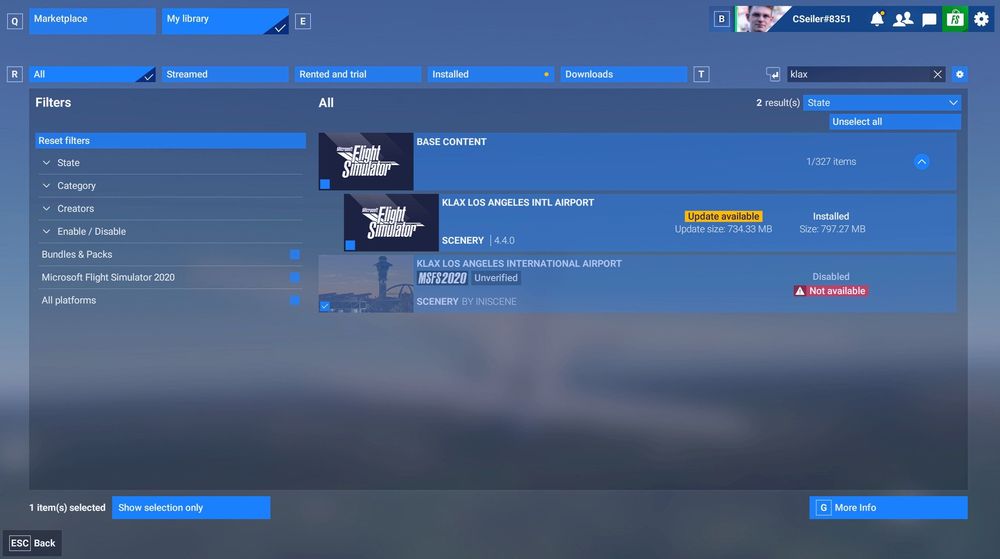
-
Hi there, I had purchased inibuilds KLAX through the MSFS 2020 store. I'm unable to use it in MSFS 2024. I'm getting this error message (see below). I already contacted MSFS support but they referred me to the developer. Does someone have the solution to this problem? I have other inibuilds airports that I purchased through the MSFS 2020 store which have transferred over to MSFS 2024 correctly, e.g., PHNL or NZQN. Thanks!

