Cheesysims
Member
-
Joined
-
Last visited
-
Thanks for updating the A300 Premium and giving that bird some love. Big fan of the airplane. Sadly the íssue with the grey galley door walls still remains after the update. Really hoped it would be fixed. I checked again, and it seems that there isn't a texture applied to it, except the detail layer for lines and rivets. The base color texture of the side wall is completely missing. Same applies to the grey fixture points of the cargo net. They remain grey as well, after deactivating all texture files.
-
Thank you Max, can finally edit the door. Where do I find the wall textures around it?
-
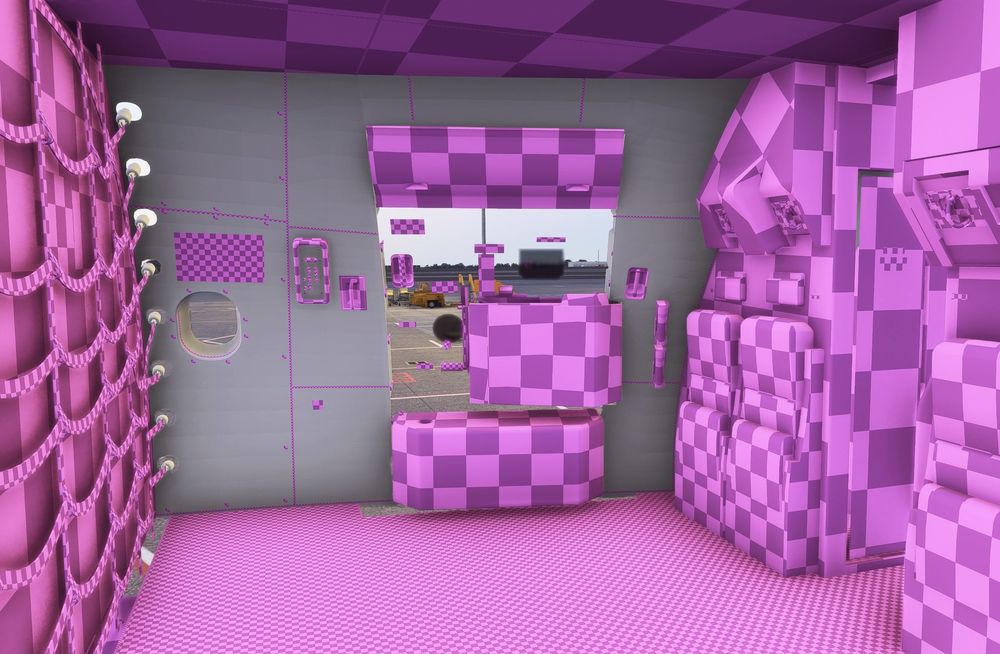
It's not about the seats. I'm aware of that. Switching off all textures and their fallbacks in 2024 results in image below, as the model can't find the textures. That's a way I normally check which texture to paint if I want to edit specific things. Somehow the side wall remains grey, even if everything is switched off, it's not tunring purple checkerboard. Concluding: There are no textures assigned to it. Could be that I'm missing something, but the textures for the grey part are nowhere to be found for the 2024 version.
-
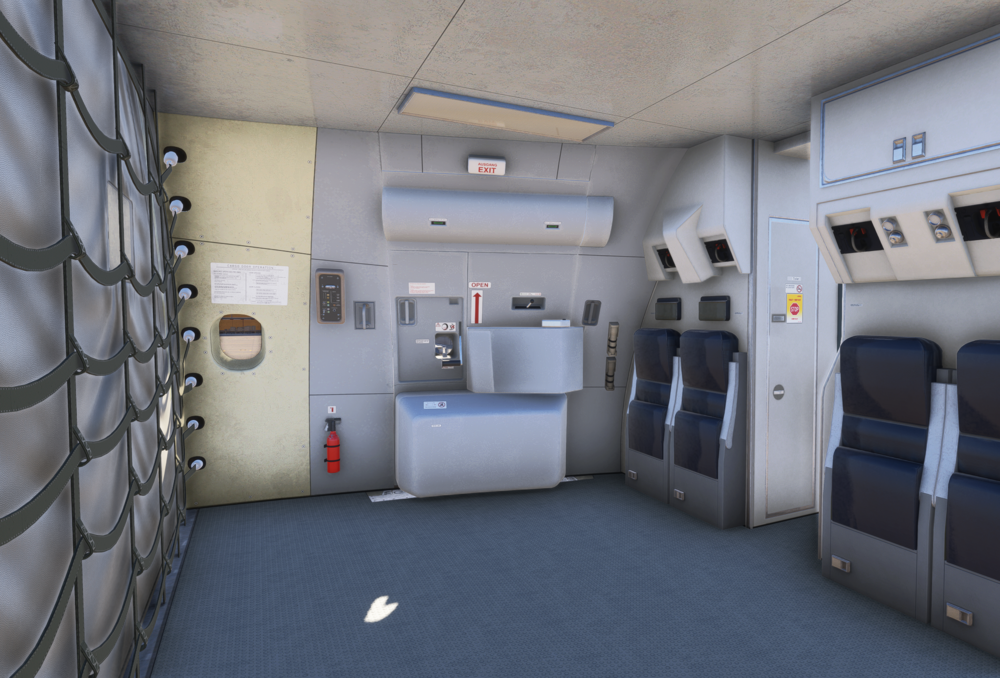
I've tried to port over my DHL EAT 2020 liveries to the 2024 Premium version for several hours now. Sadly, it seems impossible for the model to load my custom made interior door and side wall textures. Model file structure and naming shouldn't have change from versions, I assume. The livery in 2020 got plenty of custom made details and additions. It somehow seems that the galley side wall texture is completely disconnected from the model or missing in general with the 2024 "Premium" version. I've deactivated all texture folders, including all fallback paths and variations of it. Everything is in purple checkerboard, except the side wall. The texture sheets used for these parts, not or only partly being displayed in 2024 are: A300_CABIN_6_ALBD.PNG.dds A300_CABIN_7_ALBD.PNG.dds A300_CABIN_8_ALBD.PNG.dds A300_CABIN_8_EMIS.PNG.dds It's possible to use the 2020/2024 "beta" variant and copying over the 2020 FedEx N744FD livery to get the right model. Then applying my 2020 textures. Sadly, doing this will get rid of the crisp 2024 native model look, as seen here. SCreenshot taken in 2024using the 2020 FedEx livery and model as base for my texture. That's a real bummer, as there's a 2024 native version available, which somehow has some texture issues going on. Anybody can check and confirm this, so it maybe could be fixed with an update? Cheers, Daniel
-
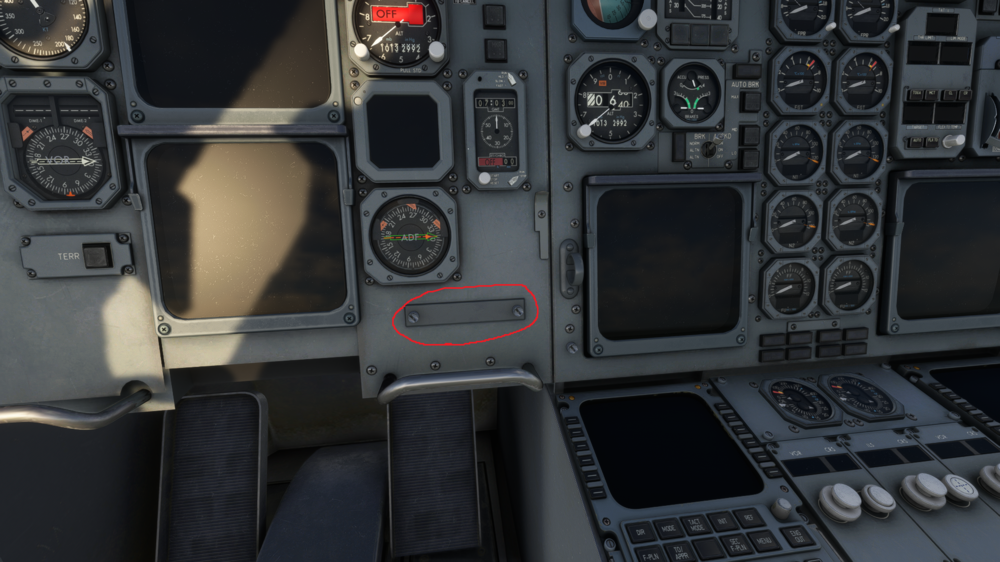
Found it after systematically deactivating the cockpit textures.
-
Cheesysims changed their profile photo
-
I've been working on some DHL EAT Leipzig liveries and really would like to change some detail in the cockpit. For EAT, the standard registration placard is a blank, isntead of it, they use a placard at the lower part of the main panel. On what texture sheet can I find the placard marked in red? I'd really like to add the registration down there, like EAT has it with their A300s. I've searched, but it's pretty hard to find it. Help really appreciated!