



Skip to content
View in the app

A better way to browse. Learn more.

iniBuilds Forum

A full-screen app on your home screen with push notifications, badges and more.

To install this app on iOS and iPadOS
  1. Tap the Share icon in Safari
  2. Scroll the menu and tap Add to Home Screen.
  3. Tap Add in the top-right corner.
To install this app on Android
  1. Tap the 3-dot menu (⋮) in the top-right corner of the browser.
  2. Tap Add to Home screen or Install app.
  3. Confirm by tapping Install.

Boelebroer

Member
  • Joined

  • Last visited

  1. A day later and a restart and the problem is solved. Tnx
  2. I can hover over Toggle GPU with my mouse and click it but then nothing happens
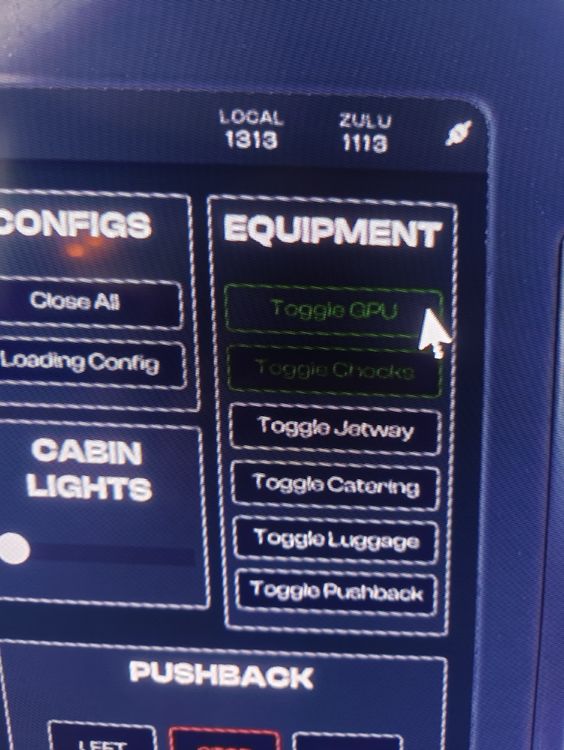
  3. Hello Eddy, All the other buttons work. I can click on them but they don't turn orange and the GPU outside stays attached
  4. Hello, Xbox user here. I am all set and ready to go but I can't toggle the green GPU and CHOCKS buttons on the FB, nothing happens. I didn't had this issue before, what can I do to solve it Tnx, René

Account

Navigation

Configure browser push notifications

Chrome (Android)
  1. Tap the lock icon next to the address bar.
  2. Tap Permissions → Notifications.
  3. Adjust your preference.
Chrome (Desktop)
  1. Click the padlock icon in the address bar.
  2. Select Site settings.
  3. Find Notifications and adjust your preference.