bmonte
Member
-
Joined
-
Last visited
-
Me too. Landed there with the A340 and gear went bust. Didn´t move anymore on the runway, even in full power.
-
After all your replies i went and check and my scenery is in fact installed like you all have. I guess we just have to ignore IniManager. Thank you for all the replies.
-
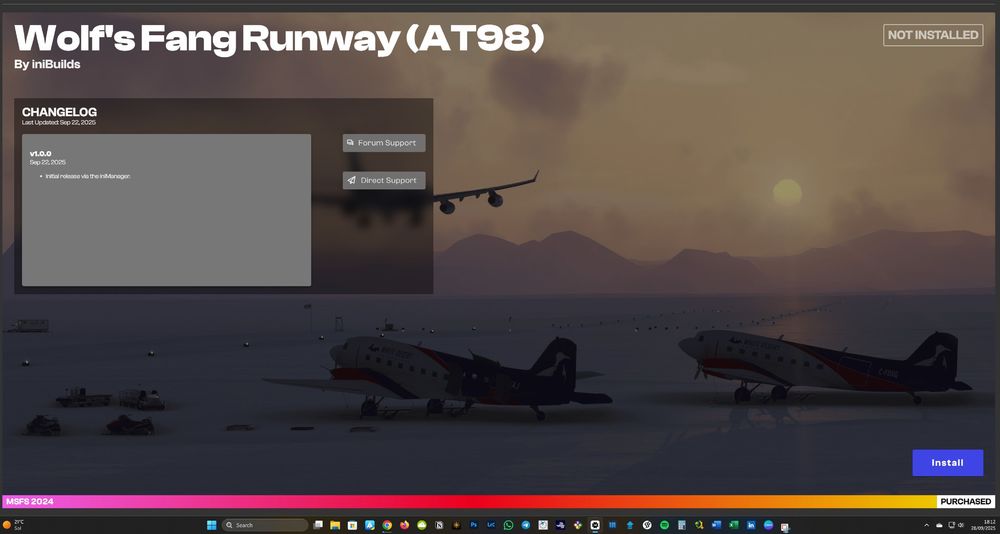
AT98 scenery was installed and worked perfectly in Msfs24, but when i shut down my sim and then restart, the scenery is not installed anymore, and has you can see in INIManager, it´s not installed. I have to do the installation everytime i wish to use that scenery. Any help is appreciated to help solve this. Thanks
-
My pleasure. Happy flying
-
Hello Pierre, go to the marketplace, search for Madeira. You should have 2, the Atelic one and the default one. Disable the default and restart MSFS. It should work. (it did for me)
-
I have the same problem and did what you instructed, but it continues the same. It did not work