Brettsan
Member
-
Joined
-
Last visited
Everything posted by Brettsan
-
I did take 15 min to see if I could find this FCOM with google, but it seems to be something not easily found. Kindly elaborate where this ground maintenance procedure is or how I can reset. I don't see anything in the OIS or under maintenance.
-
can you see where and what is conflicting? i don't use a lot of mods other than scenery... well I thought
-
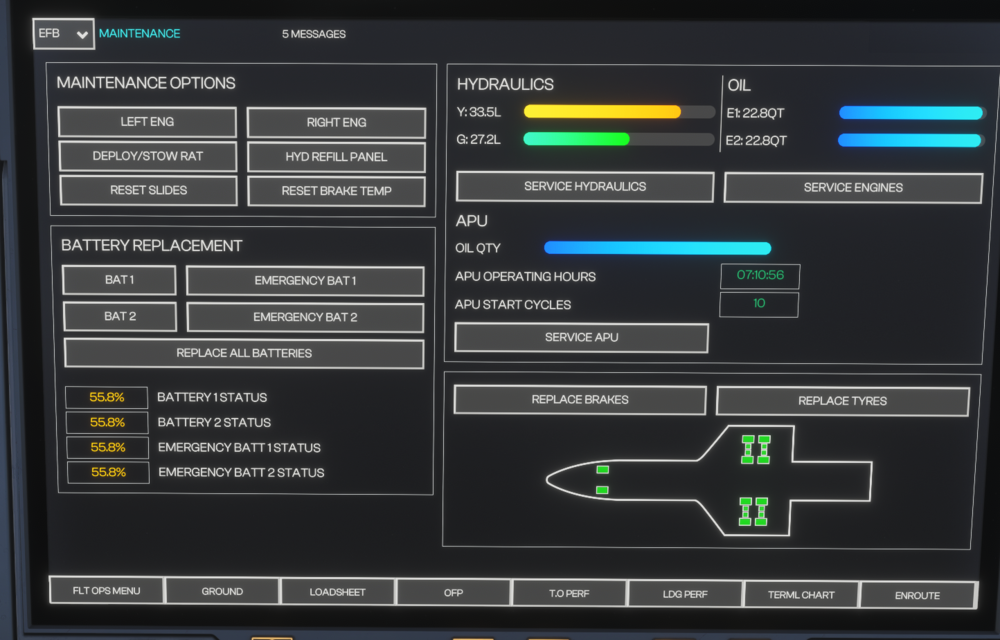
I agree with your findings... It seems battery usage is no more than a scripted counter event that decreases the status by 0.1% every 5 min 30 sec-ish. According to Google the battery should last roughly 10,000 hours so I think INI opt'd more for a let's make this a feature that the simmer thinks is cool. I also noted that it makes no difference if there is power or no power. It's just counts down. For what it's worth as well, after around 40 hours of fly time in the same livery, batteries are 1/2 spent and my hydraulics are leaking like I had a night out at a spicy curry restaurant followed by some Taco Bell for dessert.
-
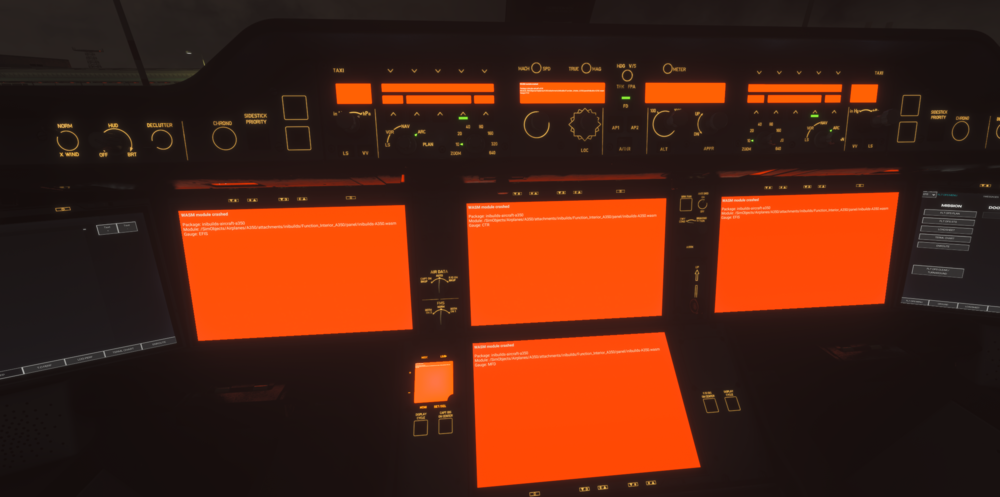
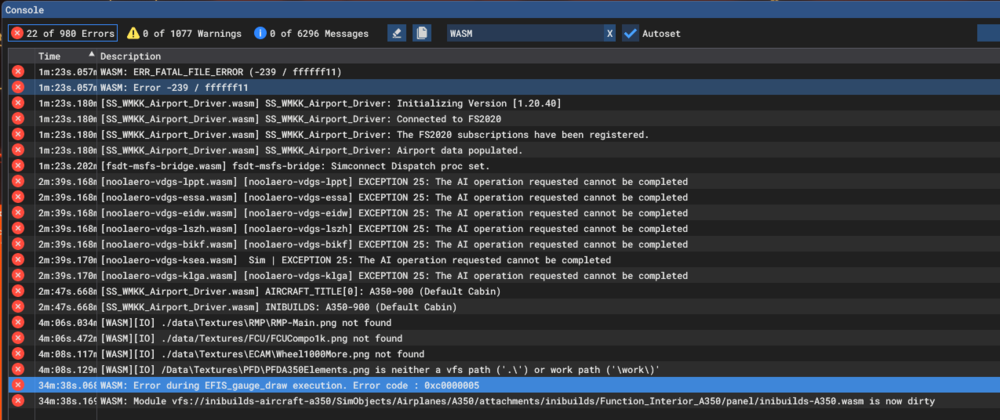
Latest update 1.2.5, still getting crashes WASM: ERR_FATAL_FILE_ERROR (-239 / ffffff11) WASM: Error -239 / ffffff11 [SS_WMKK_Airport_Driver.wasm] SS_WMKK_Airport_Driver: Initializing Version [1.20.40] [SS_WMKK_Airport_Driver.wasm] SS_WMKK_Airport_Driver: Connected to FS2020 [SS_WMKK_Airport_Driver.wasm] SS_WMKK_Airport_Driver: The FS2020 subscriptions have been registered. [SS_WMKK_Airport_Driver.wasm] SS_WMKK_Airport_Driver: Airport data populated. [fsdt-msfs-bridge.wasm] fsdt-msfs-bridge: Simconnect Dispatch proc set. [noolaero-vdgs-lppt.wasm] [noolaero-vdgs-lppt] EXCEPTION 25: The AI operation requested cannot be completed [noolaero-vdgs-essa.wasm] [noolaero-vdgs-essa] EXCEPTION 25: The AI operation requested cannot be completed [noolaero-vdgs-eidw.wasm] [noolaero-vdgs-eidw] EXCEPTION 25: The AI operation requested cannot be completed [noolaero-vdgs-lszh.wasm] [noolaero-vdgs-lszh] EXCEPTION 25: The AI operation requested cannot be completed [noolaero-vdgs-bikf.wasm] [noolaero-vdgs-bikf] EXCEPTION 25: The AI operation requested cannot be completed [noolaero-vdgs-ksea.wasm] Sim | EXCEPTION 25: The AI operation requested cannot be completed [noolaero-vdgs-klga.wasm] [noolaero-vdgs-klga] EXCEPTION 25: The AI operation requested cannot be completed [SS_WMKK_Airport_Driver.wasm] AIRCRAFT_TITLE[0]: A350-900 (Default Cabin) [SS_WMKK_Airport_Driver.wasm] INIBUILDS: A350-900 (Default Cabin) [WASM][IO] ./data\Textures\RMP\RMP-Main.png not found [WASM][IO] ./data/Textures/FCU/FCUCompo1k.png not found [WASM][IO] ./data\Textures\ECAM\Wheel1000More.png not found [WASM][IO] /Data\Textures\PFD\PFDA350Elements.png is neither a vfs path ('.\') or work path ('\work\)' WASM: Error during EFIS_gauge_draw execution. Error code : 0xc0000005 WASM: Module vfs://inibuilds-aircraft-a350/SimObjects/Airplanes/A350/attachments/inibuilds/Function_Interior_A350/panel/inibuilds-A350.wasm is now dirty