



Skip to content
View in the app

A better way to browse. Learn more.

iniBuilds Forum

A full-screen app on your home screen with push notifications, badges and more.

To install this app on iOS and iPadOS
  1. Tap the Share icon in Safari
  2. Scroll the menu and tap Add to Home Screen.
  3. Tap Add in the top-right corner.
To install this app on Android
  1. Tap the 3-dot menu (⋮) in the top-right corner of the browser.
  2. Tap Add to Home screen or Install app.
  3. Confirm by tapping Install.

The Video Game Pilot

Member
  • Joined

  • Last visited

Everything posted by The Video Game Pilot

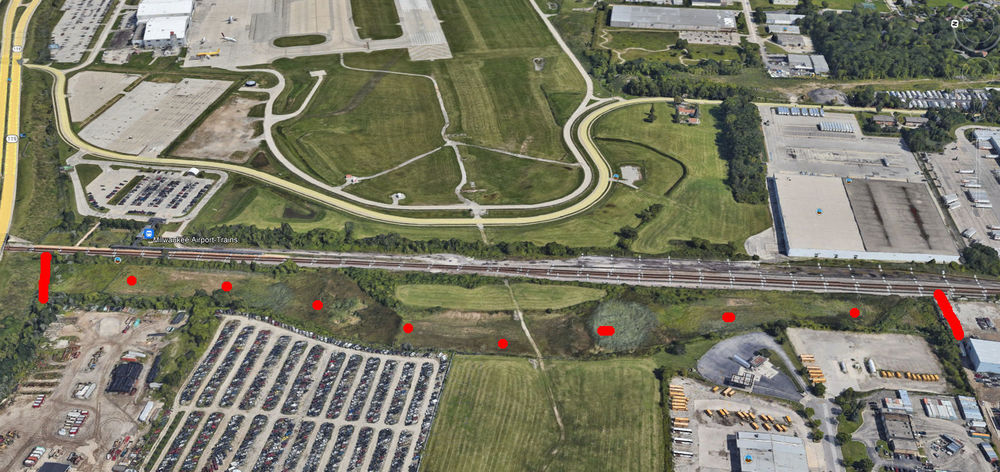
  1. I was looking on Google Earth. In that area(in reality) in front of 7R the power lines are on special smaller towers and they appear to even be down lower in a ditch. Between the red lines in the dotted area in my Google Earth image.
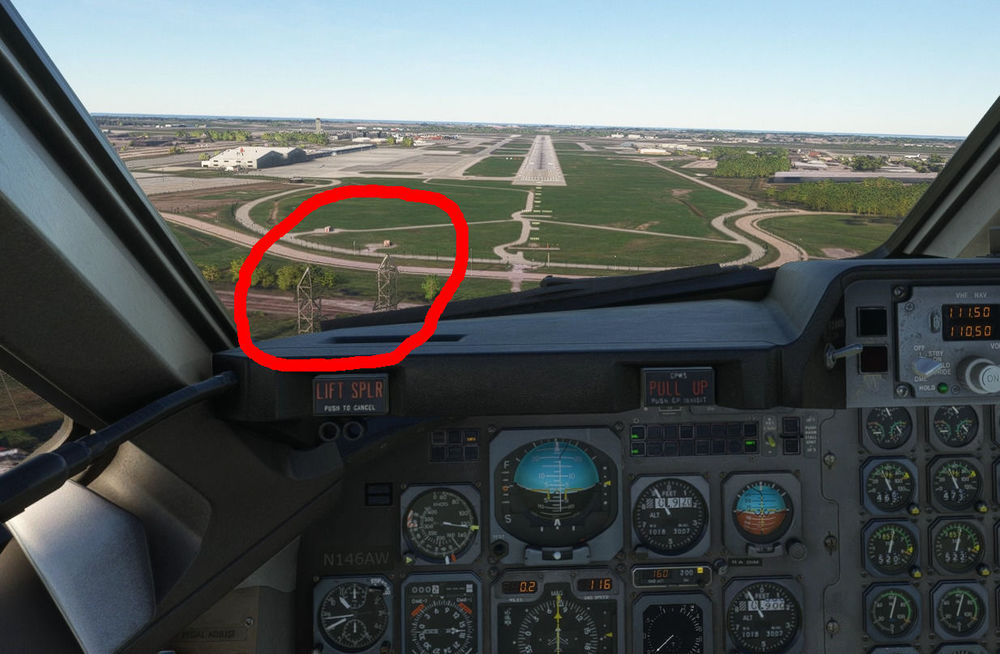
  2. There are rather large power line towers just outside of the airport perimeter as you come in on the approach to RWY 7R. They are way too large and are very close to the glide slope. I understand these are default gen, but if there is any way to knock those down or remove in an update, that would be massively awesome. Thanks for the incredible FREE mke! It is my hometown airport in reality. I purchased DTW as a thank you. Cheers!
Account

Navigation

Configure browser push notifications

Chrome (Android)
  1. Tap the lock icon next to the address bar.
  2. Tap Permissions → Notifications.
  3. Adjust your preference.
Chrome (Desktop)
  1. Click the padlock icon in the address bar.
  2. Select Site settings.
  3. Find Notifications and adjust your preference.