



Skip to content
View in the app

A better way to browse. Learn more.

iniBuilds Forum

A full-screen app on your home screen with push notifications, badges and more.

To install this app on iOS and iPadOS
  1. Tap the Share icon in Safari
  2. Scroll the menu and tap Add to Home Screen.
  3. Tap Add in the top-right corner.
To install this app on Android
  1. Tap the 3-dot menu (⋮) in the top-right corner of the browser.
  2. Tap Add to Home screen or Install app.
  3. Confirm by tapping Install.

Harry.pocher

Member
  • Joined

  • Last visited

  1. ✅Here is an update! It's working now! I tested today in LFLL RNAV RWY35R. ✅
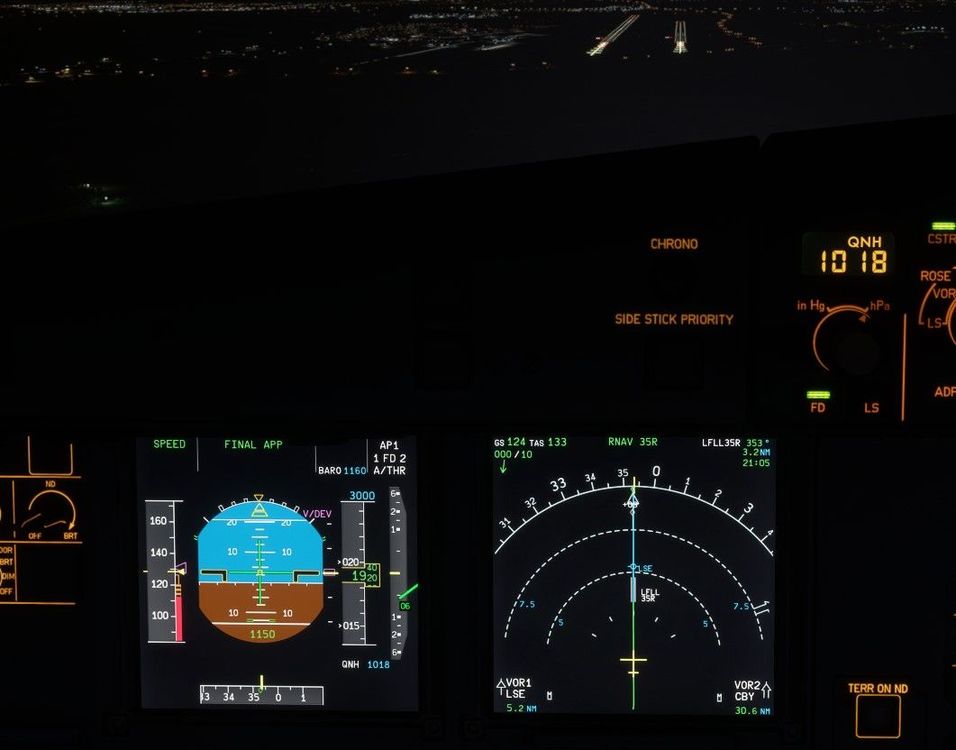
  2. Hello, first of all...i love the A320 Neo! I spend so much time with this aircraft in MSFS 2020! But same probleme here. On an RNAV Approach i armed the "APP" before i pass the FAF. The V/DEV is shown correctly but at the FAF Point (V/DEV is on the marker) the aircraft doesnt sink with the correct descend path (3°). The airplane fly straigth ahead on the last constraint-height (3000ft). I checked the MCDU, the constraints and descent-path is correct in the database. Here are the conditions: EDDP, RW26R, RNAV26R, FAF KOSAM I tried the RNAV approaches on different airports, everytime with the same problem. I hope you can fix this error. best regards Robert

Account

Navigation

Configure browser push notifications

Chrome (Android)
  1. Tap the lock icon next to the address bar.
  2. Tap Permissions → Notifications.
  3. Adjust your preference.
Chrome (Desktop)
  1. Click the padlock icon in the address bar.
  2. Select Site settings.
  3. Find Notifications and adjust your preference.