



Skip to content
View in the app

A better way to browse. Learn more.

iniBuilds Forum

A full-screen app on your home screen with push notifications, badges and more.

To install this app on iOS and iPadOS
  1. Tap the Share icon in Safari
  2. Scroll the menu and tap Add to Home Screen.
  3. Tap Add in the top-right corner.
To install this app on Android
  1. Tap the 3-dot menu (⋮) in the top-right corner of the browser.
  2. Tap Add to Home screen or Install app.
  3. Confirm by tapping Install.

Pxdriinnnn

Member
  • Joined

  • Last visited

Everything posted by Pxdriinnnn

  1. Yes sir, the approach phase was activated, and the flight plan was sequenced correctly. I tried 3 other airports in Brazil and got the same issue
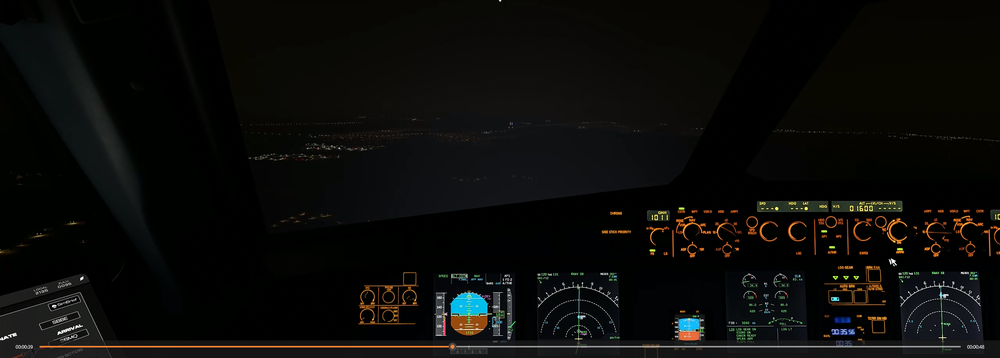
  2. Since the last sim update, I have had problems performing RNAV and RNP approaches. When activating APPR mode, the Vdev indication appears on the screen but it is not activated. Following the image below, it is possible to see that the mode is selected, I am on the final approach, aligned with the runway and the final app is not activated. The V/dev just passes by my altitude but it is not captured
Account

Navigation

Configure browser push notifications

Chrome (Android)
  1. Tap the lock icon next to the address bar.
  2. Tap Permissions → Notifications.
  3. Adjust your preference.
Chrome (Desktop)
  1. Click the padlock icon in the address bar.
  2. Select Site settings.
  3. Find Notifications and adjust your preference.