



Skip to content
View in the app

A better way to browse. Learn more.

iniBuilds Forum

A full-screen app on your home screen with push notifications, badges and more.

To install this app on iOS and iPadOS
  1. Tap the Share icon in Safari
  2. Scroll the menu and tap Add to Home Screen.
  3. Tap Add in the top-right corner.
To install this app on Android
  1. Tap the 3-dot menu (⋮) in the top-right corner of the browser.
  2. Tap Add to Home screen or Install app.
  3. Confirm by tapping Install.

Martin Haeusler

Member
  • Joined

  • Last visited

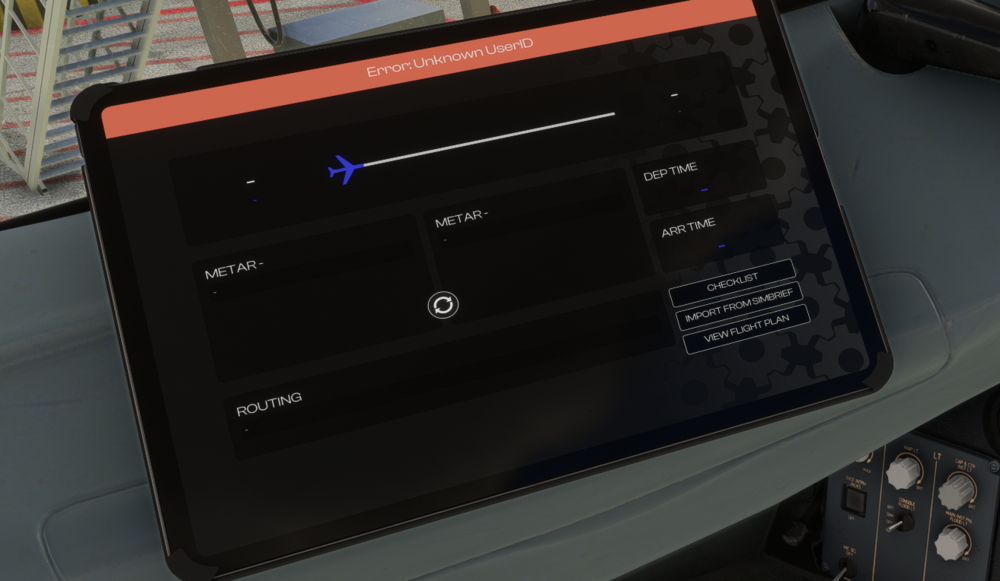
  1. Good morning, after updating to v1.1.2 I also cannot connect to simbrief. The error shown is "Unknown UserID" in the EFB when either I try to improt via the "My Flight" page or via the "Weight & Balance" page. Also requeting simbrief flightplan via MCDU ACARS throws error "Error downloading data". No difference if simbrief username ist entered in the EFB Settings via physical keyboard or EFB on-screen keyboard. Of course my simbrief username has not changed. What can I do? Thanks!
Account

Navigation

Configure browser push notifications

Chrome (Android)
  1. Tap the lock icon next to the address bar.
  2. Tap Permissions → Notifications.
  3. Adjust your preference.
Chrome (Desktop)
  1. Click the padlock icon in the address bar.
  2. Select Site settings.
  3. Find Notifications and adjust your preference.