



Skip to content
View in the app

A better way to browse. Learn more.

iniBuilds Forum

A full-screen app on your home screen with push notifications, badges and more.

To install this app on iOS and iPadOS
  1. Tap the Share icon in Safari
  2. Scroll the menu and tap Add to Home Screen.
  3. Tap Add in the top-right corner.
To install this app on Android
  1. Tap the 3-dot menu (⋮) in the top-right corner of the browser.
  2. Tap Add to Home screen or Install app.
  3. Confirm by tapping Install.

xtianbirch

Member
  • Joined

  • Last visited

Everything posted by xtianbirch

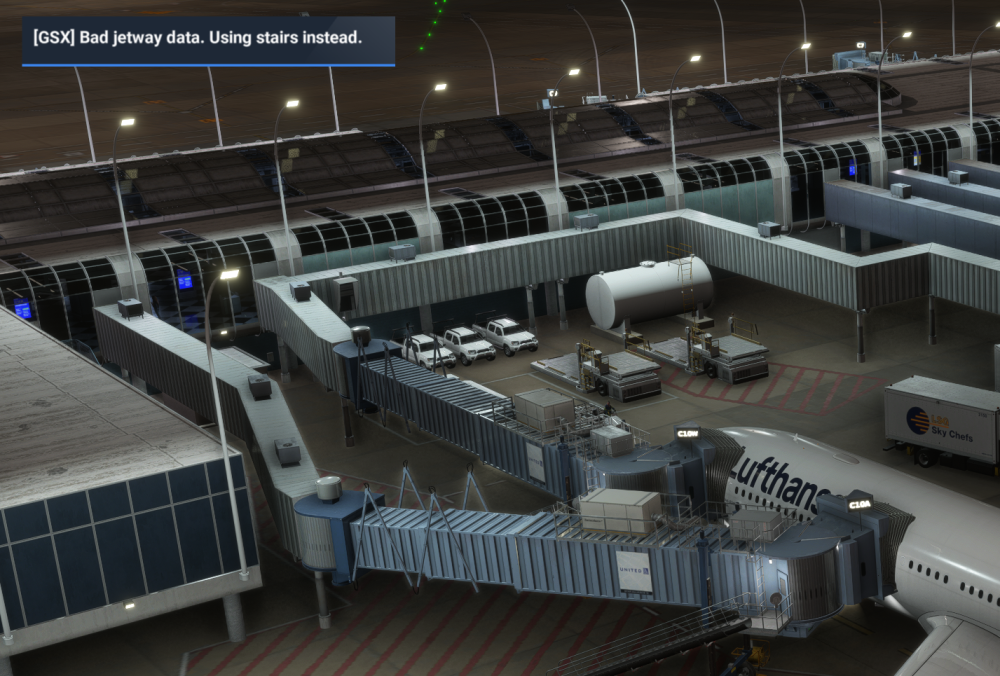
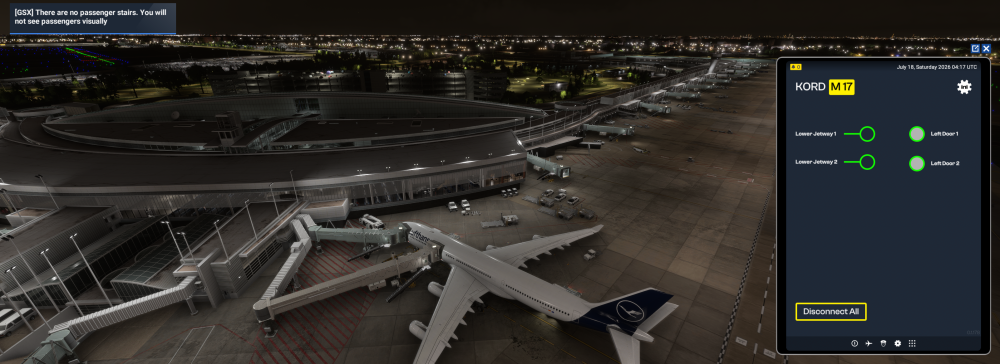
  1. GSX can't see that the jetways are connected at any of the gates with multiple jetways. Tested at C10W, C16W, M39W, M17 with iniBuilds A240/A350 and PMDG 777. I attach the jetways using the EFB, then activate GSX deboarding. I get these 2 error messages, and GSX stairs/busses come up to the L4 door (it is disabled as per the GSX profile). Any tips on what I am doing wrong here? Seems to be working at single gates
Account

Navigation

Configure browser push notifications

Chrome (Android)
  1. Tap the lock icon next to the address bar.
  2. Tap Permissions → Notifications.
  3. Adjust your preference.
Chrome (Desktop)
  1. Click the padlock icon in the address bar.
  2. Select Site settings.
  3. Find Notifications and adjust your preference.