MartinC
Member
-
Joined
-
Last visited
-
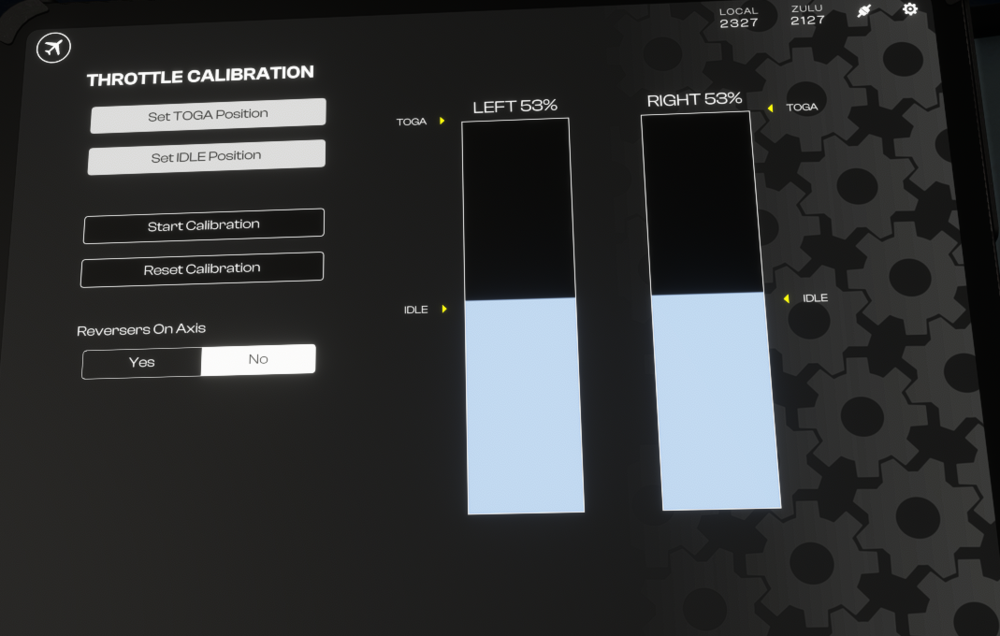
Hello . After upgrade i have problem with engines. 1. I start engines with normal procedure. If engines was started i turn back Ignition knob to OFF and after approx 4sec something happen and both of engines shutting off. All fuel pumps are ON etc. etc. If i want engines as running i have to ignition knob leave in position Start, A or B or Crank 2. problem with pumping throttle. I have to ingnition to mode crank, or start and engines running. But if move throttle engines "pumping" and plane have no power to take off. I have Thrustmaster TCA quadrant. I tried calibrate throttle and all looks OK. If i use button TOGA plane take off normally, but if i gave full throttle manually engines pumping and take off is impossible.. 3. After upgrade i loose FPS before i have approx 60fps, after upgrade i have 25-35fps I tried reinstall plane from inibuilds manager, no change