Werner Rafteseth
Member
-
Joined
-
Last visited
Everything posted by Werner Rafteseth
-
I had the same yesterday. I received a CPDLC message, then performance absolutely tanked for 10-20 seconds. When performance came back, all systems were frozen but some buttons could be clicked (without any effect), and I could control it manually just as you described.
-
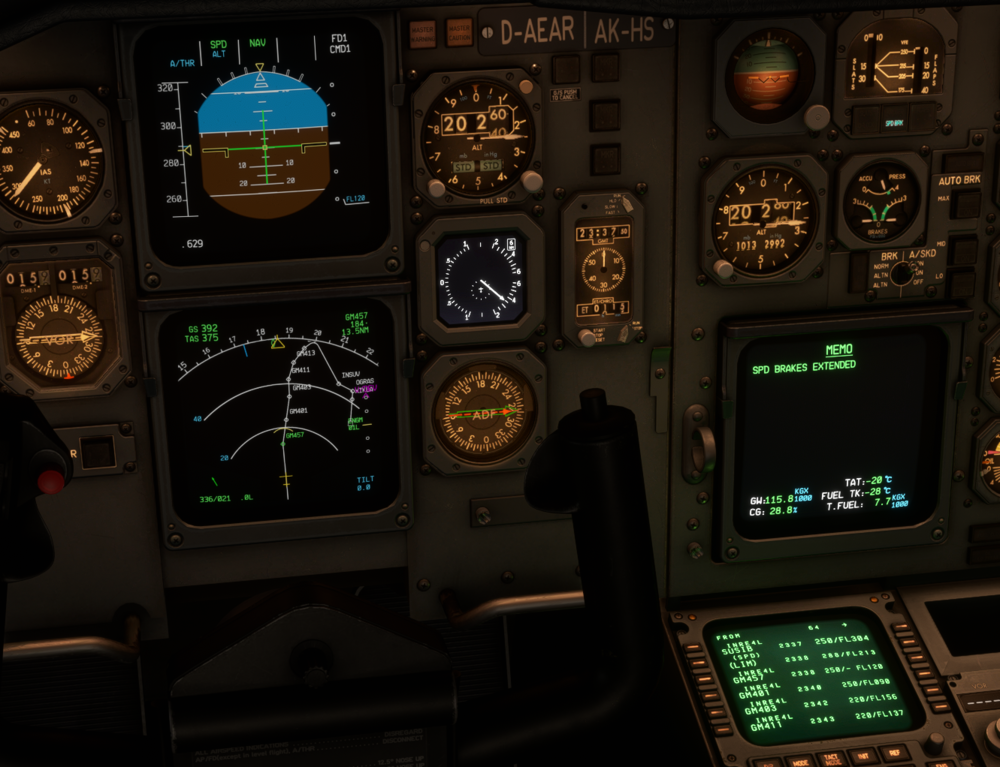
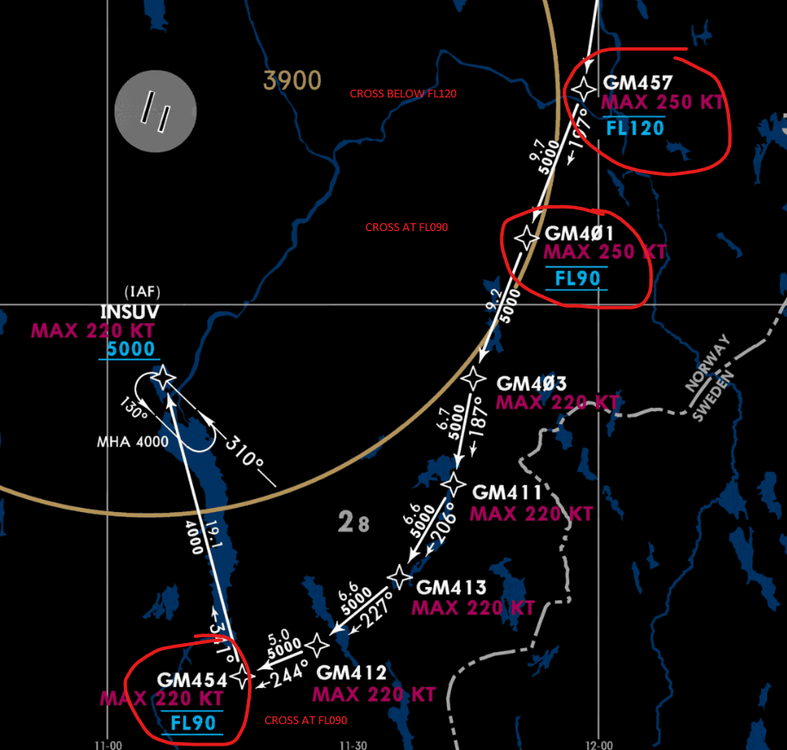
Hi, have a few issues with VNAV. Example here flying the INREX 4L into ENGM. As you can see, you should cross GM457 below FL120, while as you can see by the other fixes after that, it plans to be higher. I changed it to level change and deployed speedbrakes to go below profile to meet the altitude restrictions. Next is GM401 which should be crossed at FL090, while again you can see it won't reach it. See snippet from chart below. In other words, you should be level at FL090 between GM401 and GM454, but it looks like the VNAV calculates to only reach FL090 at GM454.