



Skip to content
View in the app

A better way to browse. Learn more.

iniBuilds Forum

A full-screen app on your home screen with push notifications, badges and more.

To install this app on iOS and iPadOS
  1. Tap the Share icon in Safari
  2. Scroll the menu and tap Add to Home Screen.
  3. Tap Add in the top-right corner.
To install this app on Android
  1. Tap the 3-dot menu (⋮) in the top-right corner of the browser.
  2. Tap Add to Home screen or Install app.
  3. Confirm by tapping Install.

stevenreed2491

Member
  • Joined

  • Last visited

  1. If you guys could take a look in future that would be great, quite weird seeing especially HA aircraft disappear when their terminal is dead haha. thanks!
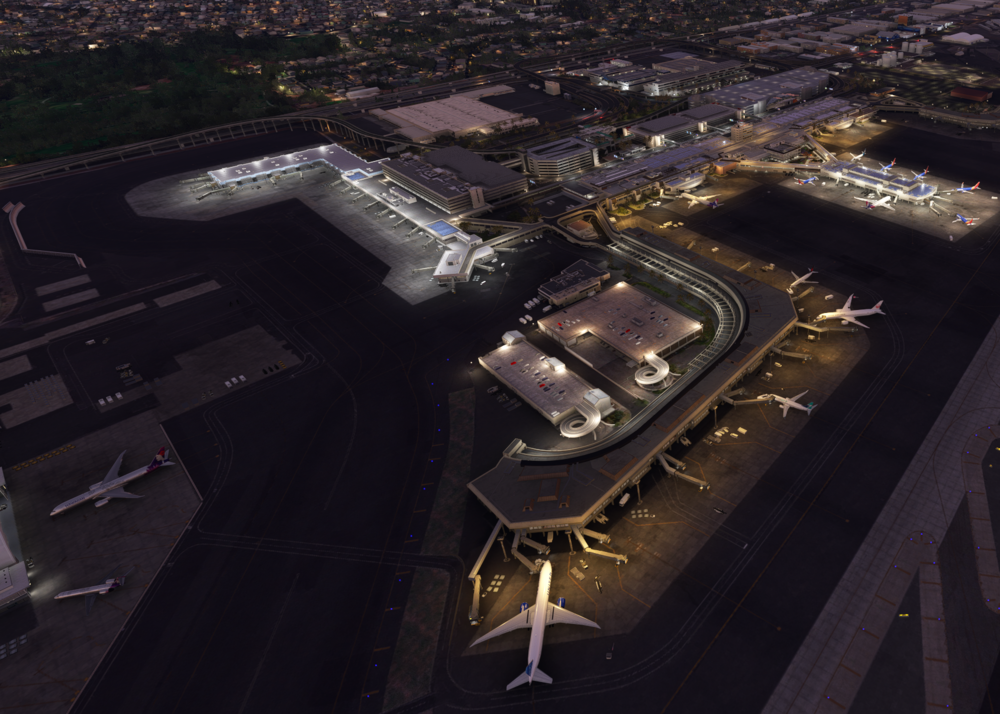
  2. Hi all, been having issues with FSLTL not loading traffic to the A gates. this is causing issues with long haul aircraft duplicating over themselves on a few gates. I have GSX installed with the provided Inibuilds profile and aware FSLTL does not have the B717 but the Hawaiian A321 and A330s should still be on the A gates? any help would be appreciated.
Account

Navigation

Configure browser push notifications

Chrome (Android)
  1. Tap the lock icon next to the address bar.
  2. Tap Permissions → Notifications.
  3. Adjust your preference.
Chrome (Desktop)
  1. Click the padlock icon in the address bar.
  2. Select Site settings.
  3. Find Notifications and adjust your preference.