



Skip to content
View in the app

A better way to browse. Learn more.

iniBuilds Forum

A full-screen app on your home screen with push notifications, badges and more.

To install this app on iOS and iPadOS
  1. Tap the Share icon in Safari
  2. Scroll the menu and tap Add to Home Screen.
  3. Tap Add in the top-right corner.
To install this app on Android
  1. Tap the 3-dot menu (⋮) in the top-right corner of the browser.
  2. Tap Add to Home screen or Install app.
  3. Confirm by tapping Install.

Oswald53

Member
  • Joined

  • Last visited

Everything posted by Oswald53

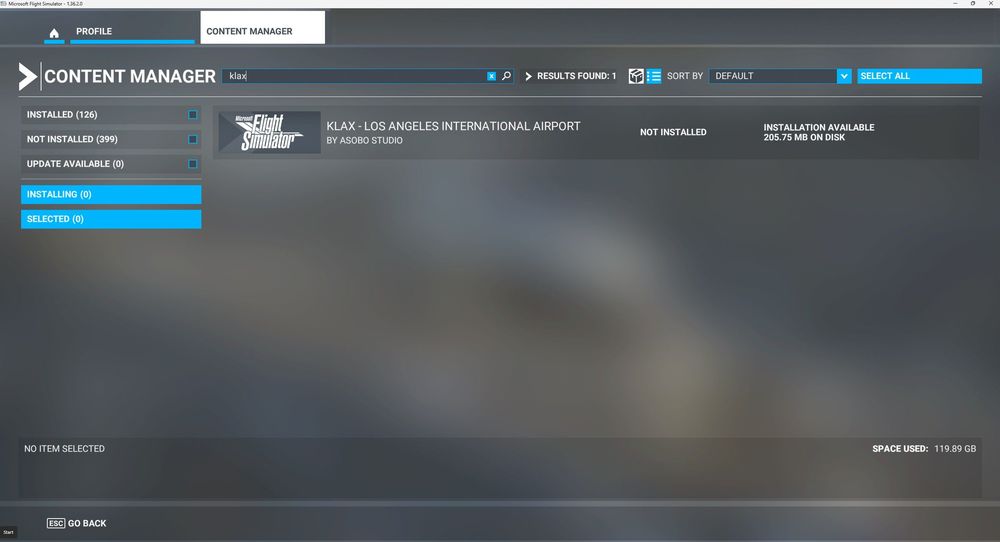
  1. CLARIFICATION: The default Asobo KLAX is not installed.
  2. Oswald53 posted a topic in Support
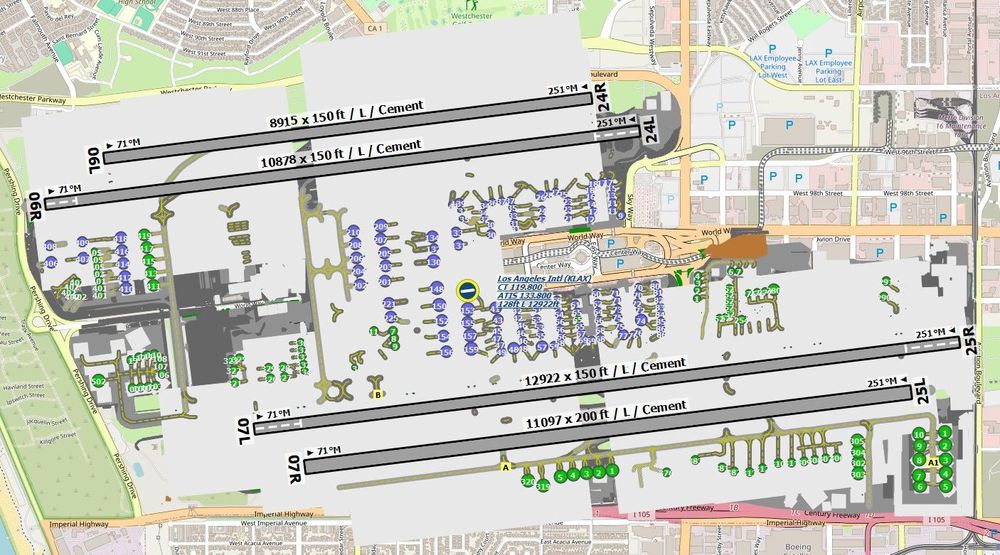
    Hi, Any chance of updating the airport so it shows properly, ie. taxiways, etc.? The taxiways come in handy showing the position of the aircraft during taxi. This is the only add-on airport where I have this issue although PHNL needs some tidy-up as well. Thanks, Harry
  3. Oswald53 replied to Oswald53's topic in Systems
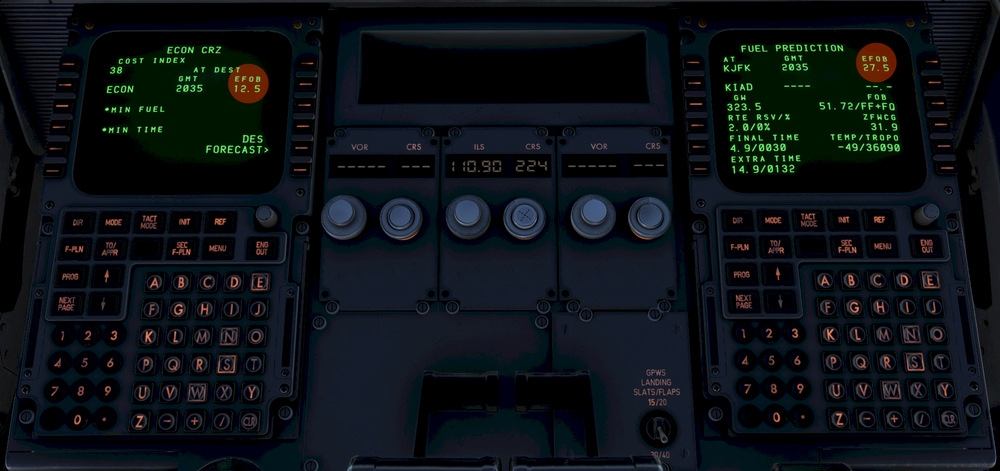
    Hi, Sorry but I no longer have that information for that flight. However, since posting this report it looks like one is shown in pounds and the other in kilograms. Hope this helps. Also, when coming out of pause, the plane is erratic and ascends straight up. Turning off the autopilot before pausing is the only way to avoid it.
  4. Oswald53 posted a topic in Systems
    See attached image and highlighted areas. I assume this is a bug. If note, why the difference in values? Thanks...
  5. Hi, Can this be sorted out? Is there something I can do? Same applies to KLAX. Thanks

Account

Navigation

Configure browser push notifications

Chrome (Android)
  1. Tap the lock icon next to the address bar.
  2. Tap Permissions → Notifications.
  3. Adjust your preference.
Chrome (Desktop)
  1. Click the padlock icon in the address bar.
  2. Select Site settings.
  3. Find Notifications and adjust your preference.