



Skip to content
View in the app

A better way to browse. Learn more.

iniBuilds Forum

A full-screen app on your home screen with push notifications, badges and more.

To install this app on iOS and iPadOS
  1. Tap the Share icon in Safari
  2. Scroll the menu and tap Add to Home Screen.
  3. Tap Add in the top-right corner.
To install this app on Android
  1. Tap the 3-dot menu (â‹®) in the top-right corner of the browser.
  2. Tap Add to Home screen or Install app.
  3. Confirm by tapping Install.

leap58

Member
  • Joined

  • Last visited

  1. I have tried erasing and downloading the hame again and it hasn’t worked, it is not the AP Throttle neither. XBOX ISSUE WhatsApp Video 2023-09-23 at 11.33.06 PM.mp4
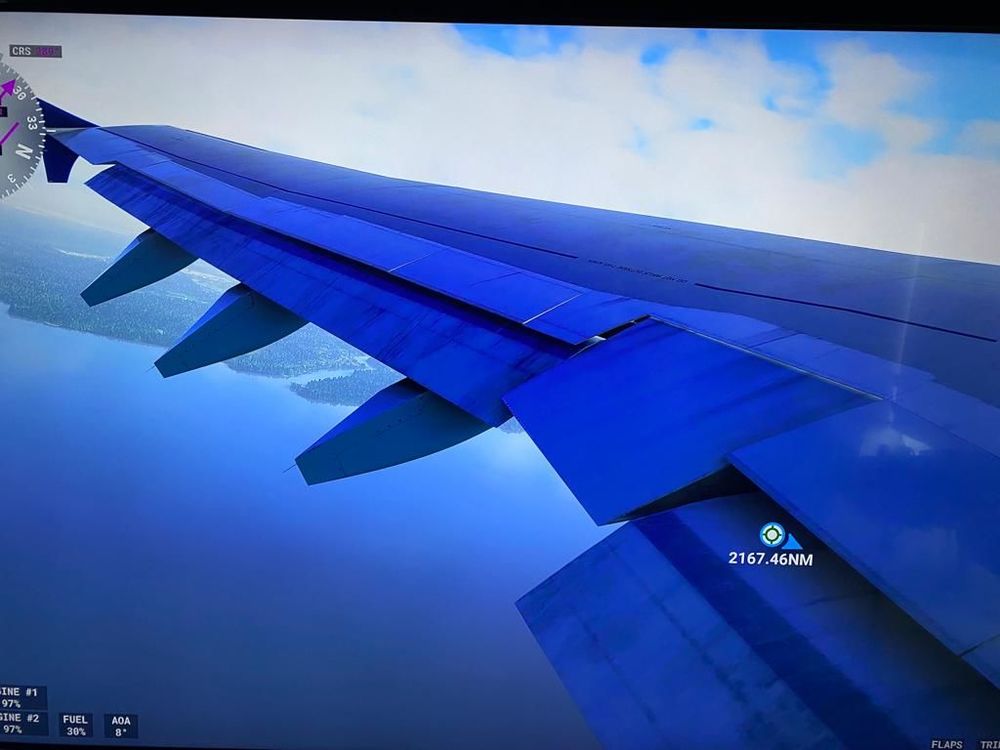
  2. The flaps are off, when fully folded there doesn't seem to be an empty space. The double slotted part in the flap is not even visible 😞 See the following pictures for comparison. Flaps are fully down on both pics.
Account

Navigation

Configure browser push notifications

Chrome (Android)
  1. Tap the lock icon next to the address bar.
  2. Tap Permissions → Notifications.
  3. Adjust your preference.
Chrome (Desktop)
  1. Click the padlock icon in the address bar.
  2. Select Site settings.
  3. Find Notifications and adjust your preference.