Pressident
Member
-
Joined
-
Last visited
Everything posted by Pressident
-
I had one livery installed for the A-310, but after i deleted that livery, it did not fix anything.
-
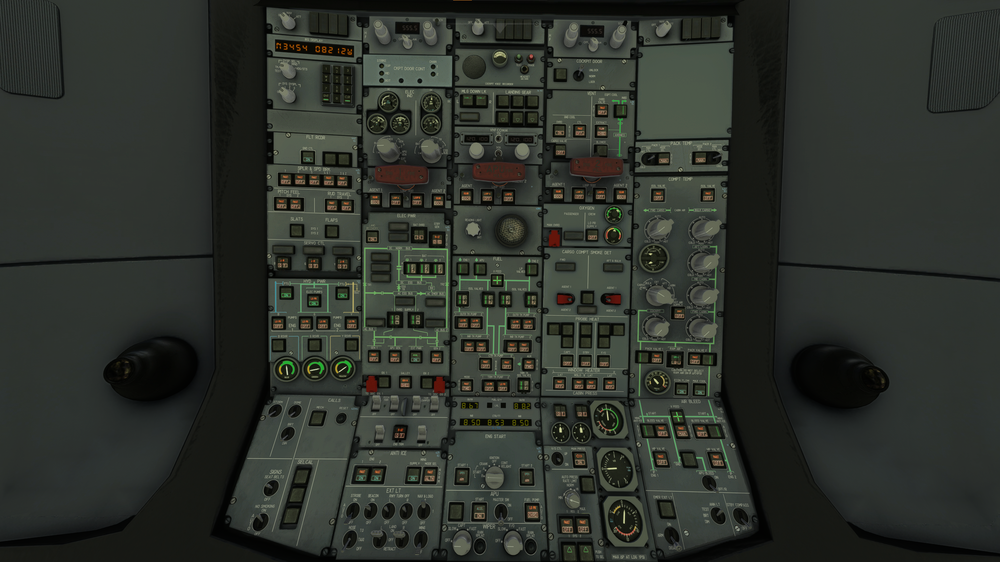
The picture above is the panel state when i load into the airplane. I did not press anything once I loaded in. I am not actually able to press any of the buttons in the cockpit, including the ATT LT button. I have re-installed the plane multiple times from the MSFS content manager, but it has not resolved anything.
-
The A-310 has been weird and inoperable for me. whenever I spawn in inside the aircraft, whether it be on the runway, or in the cold and dark state, all of the buttons inside the cockpit have been lit up, and i cannot press on any of the buttons, the screens still work fine, but the GPWS system does not work. The plane still flies, but i can't do any actual flights without the buttons working.