




Brett Ratliff
Member
-
Joined
-
Last visited
-
Also my controller is vibrating like I’m over speeding the an 225 but I’m cruising at 32000 ft at 306 knots well within the specified speeds of the aircraft
-
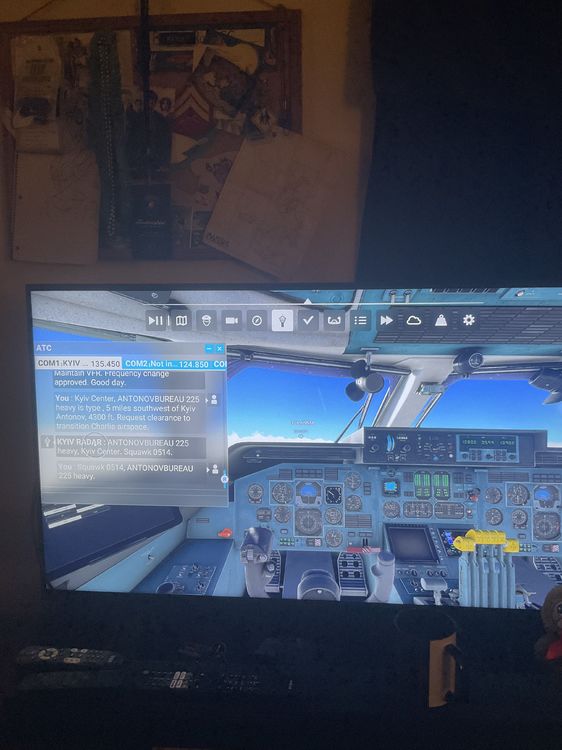
I’ve tried routes from Vegas and right now I’m flying from UKKM to Leipzig Airport and it just goes quiet after I get my squawk number from ATC. I’m running the sim on Xbox. Also on occasion the EFB and Garmin go dark for no reason but that’s only at Flytampa KLAS Vegas Airport. Love the work and videos you put up on YouTube by the way made learning the an 225 so much easier and less intimidating for me. Thanks for all your support!
-
Hey guys I love the An 225 but after receiving my sqwak number ATC stops talking and nothing else happens. I tried to see with other aircraft in the sim if this happens but it’s only the 225 I have this issue. Please help!
