



Skip to content
View in the app

A better way to browse. Learn more.

iniBuilds Forum

A full-screen app on your home screen with push notifications, badges and more.

To install this app on iOS and iPadOS
  1. Tap the Share icon in Safari
  2. Scroll the menu and tap Add to Home Screen.
  3. Tap Add in the top-right corner.
To install this app on Android
  1. Tap the 3-dot menu (⋮) in the top-right corner of the browser.
  2. Tap Add to Home screen or Install app.
  3. Confirm by tapping Install.

OKC_Jim

Member
  • Joined

  • Last visited

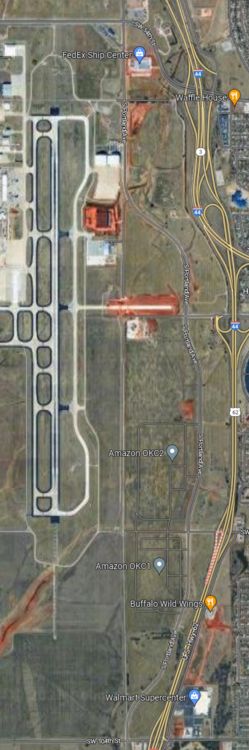
  1. Portland Road runs along the east side of the airport. Until a few years ago it ran due north and south. Now it curves to the east before running north and south before curving back to the west. The old portion of the road is an access road for some of the facilities on the east side of the airport. The new portion of the road is modelled in the base scenery but the module seems to cover it up. Vehicles can be seen driving on the new portion of the road except with the road being hidden, they look like they are driving in a field. I know the attached image of the current route is kind of small but hopefully you can see the area I am talking about. Any chance of uncovering the hidden road so that it shows through?
Account

Navigation

Configure browser push notifications

Chrome (Android)
  1. Tap the lock icon next to the address bar.
  2. Tap Permissions → Notifications.
  3. Adjust your preference.
Chrome (Desktop)
  1. Click the padlock icon in the address bar.
  2. Select Site settings.
  3. Find Notifications and adjust your preference.