Qleahy
Member
-
Joined
-
Last visited
-
deleted everything from the sceneryindexes folder again just like you suggested, and it worked!!
-
just uninstalled everything from the msfs marketplace too, reinstalled the mod from simmarket, and still no buildings. This is frustrating!! 😆
-
just did that, nothing changed. I do have some things installed through msfs marketplace however, so that means we've narrowed it down to a conflict with something downloaded from the marketplace and not the community folder, right?
-
I also uninstalled and reinstalled the mod for like the 5th time today, and now jetways show up. I don't know if this means anything or what I did to make that happen, but they weren't showing up before and now they are.
-
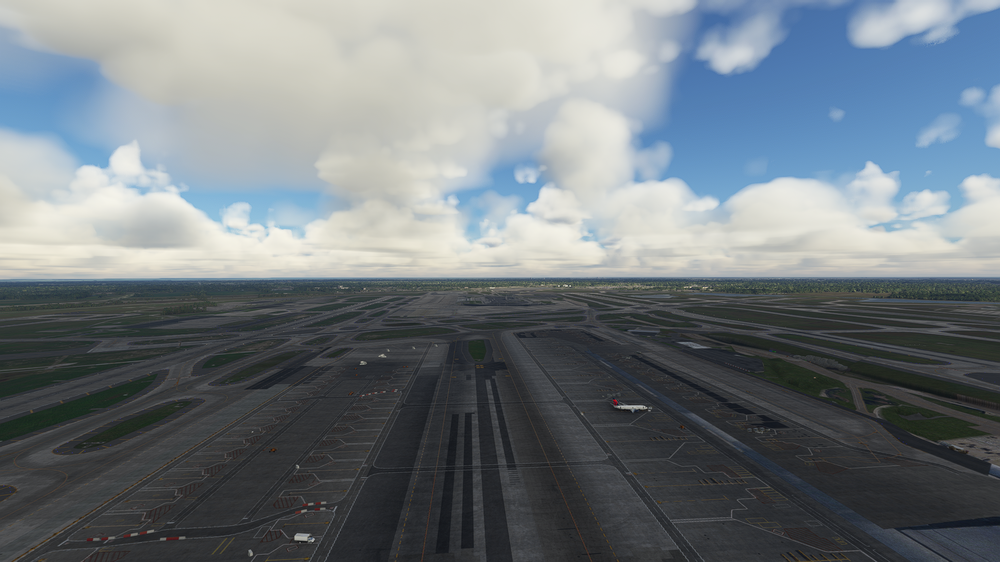
Just tried that. Still nothing.KDTW Terminal buildings/jetways are not showing up. I downloaded this mod form simmarket, and have tried to load it up several times, but no buildings appear. Ground textures, cars, and lights all show up, but no terminals. I have reinstalled this mod several times with no luck.