tsamisg
Member
-
Joined
-
Last visited
-
Hello, Just a quick update to let you know that I turned off Photogrammetry and then I did an approach to Rwy27L and all was OK. Thanks for all your help. Regards, Greg
-
Hello, I took a look and photogrammetry is On but I guess anything is possible. I can turn it Off and see what happens and will let you know what happens. Thank you for the suggestion. Regards, Greg
-
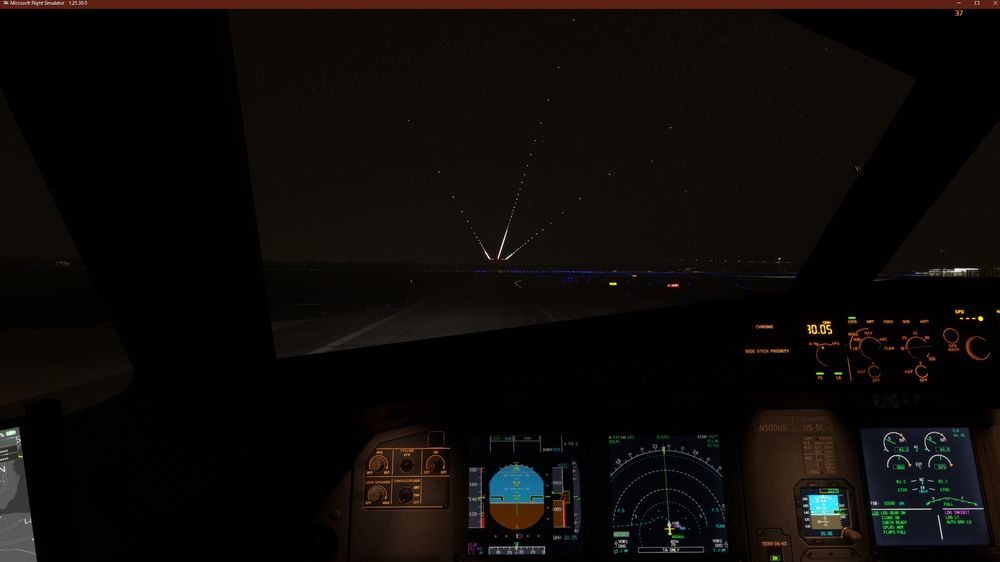
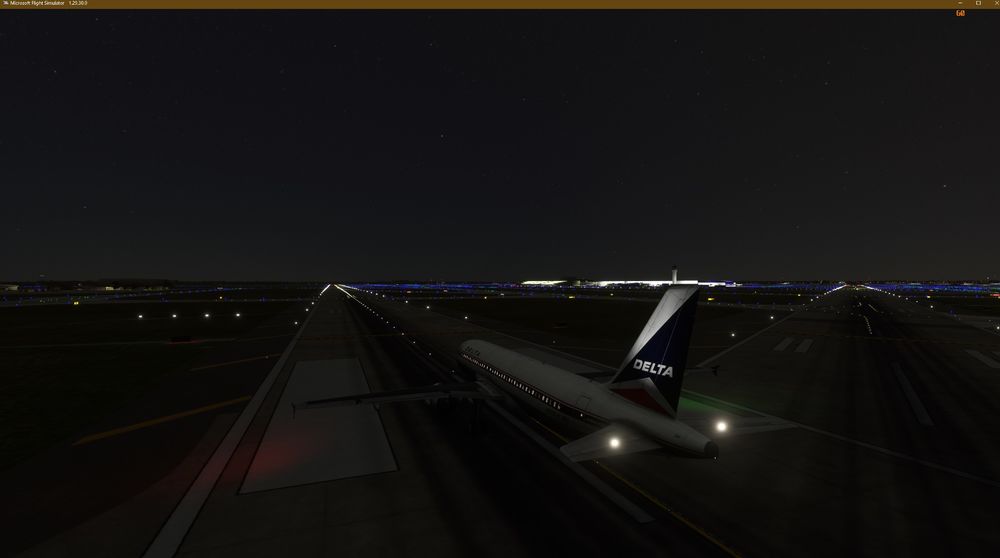
Hello, Sadly, clearing the rolling cache did not help (see attached jpeg). Interesting though, when I launch the sim and start with the aircraft on Rwy21L, then the runway lights appear to be where they're supposed to be (see attached jpeg). I think my next step will be to uninstall the scenery and then reinstall it. Please let me if there is something else I need to do. Thank you in advance for your assistance. Regards, Greg
-
Hello and thank you for the prompt reply. I'll delete the cache and try another approach and will post what my results are. Regards, Greg
-
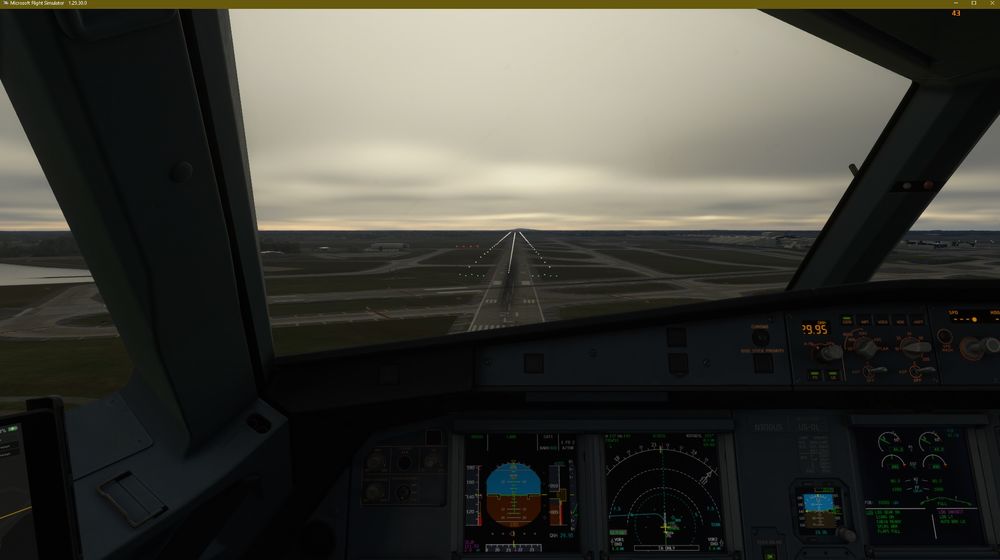
Hello, Let me begin by saying thank you for this scenery. It has been sorely missing from any sim. I've flown two ILS approaches to runway 21L (one with the PMDG 737 the other with the Fenix A320) and both times, the runway lights are floating above the ground (please see attached screenshot which I managed to get while flying with the Fenix A320). After the first try with the PMDG 737, I cleaned out/uninstalled/deleted all sceneries except your KDTW/KBUF and RDPresets EHRD. I also uninstalled/deleted all the world updates but nothing changed. Can you please provide some input as to what is going on and a possible fix. Thank you in advance. Regards, Greg