MrSaturday
Member
-
Joined
-
Last visited
Everything posted by MrSaturday
-
Tried it. Unfornately still doesn't work for me. It wasn't a read/write permission issue because the navdata, which is located in the same folder, can be updated just fine.
-
Just a quick bump on this topic. As of update 1.1.8. This is still an issue for me.
-
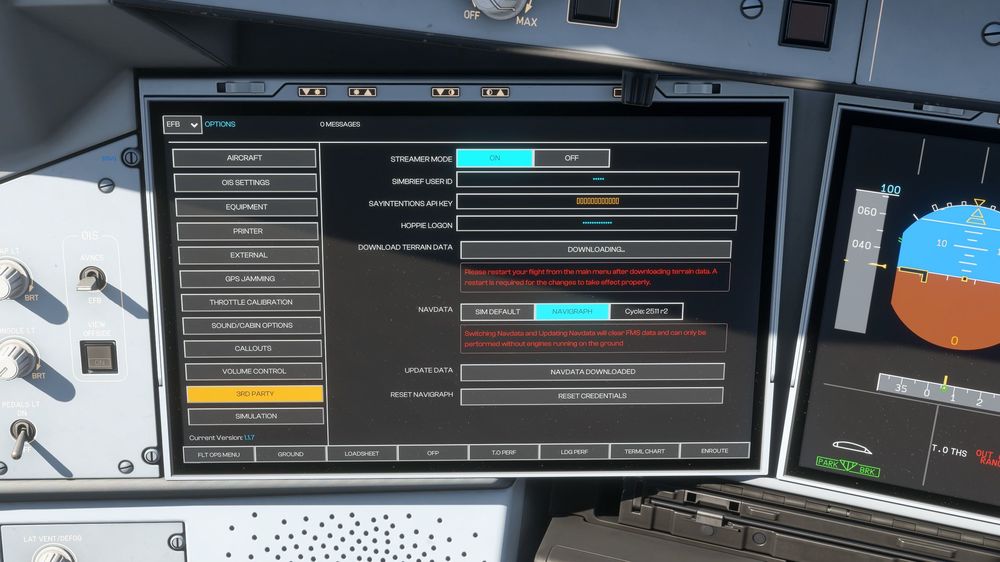
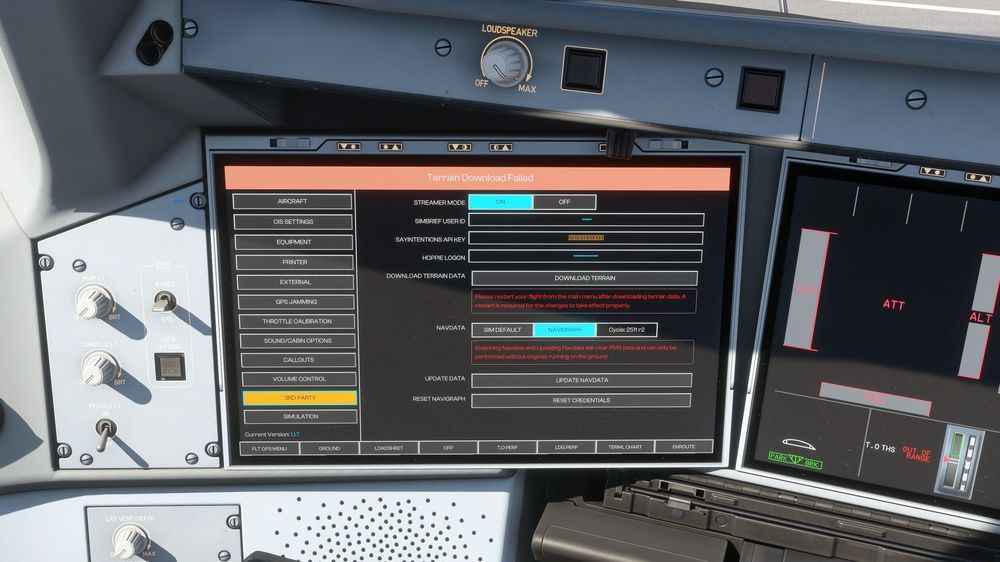
I simply cannot download the terrain data. The OIS will either throw a "Terrain Download Failed" error or just get stuck in an infinite "Downloading" state. Troubleshooting steps done so far: I have cleared the WASM files in \LocalState\WASM\MSFS2024\inibuilds-aircraft-a350 4 times (the obj, lib, cache files as outlined in the clearing WASM guide) I have deleted the work folder itself \LocalState\WASM\MSFS2024\inibuilds-aircraft-a350\work I have deleted the entire inibuilds-aircraft-a350 folder in \LocalState\WASM\MSFS2024 I have done one full reinstall I have tested with turning of windows defender realtime scanning I have added windows defender exceptions as outlined in this inibuilds guide https://forum.inibuilds.com/topic/34534-how-to-download-terrain-data-via-the-ois/ I have tried removing my Navigraph credentials A full sim restart is done after every step above. None of the troubleshooting steps I've done above helped. Still the same problem. How do I know It's stuck at downloading? I left it running with the button showing "downloading" for 45-minutes. Is it a sim to Internet communication problem? Everytime I cleared the WASM folder, I am able to download and update the Navigraph data perfectly fine, so the sim can communicate to the internet fine.