




Madwolf05
Member
-
Joined
-
Last visited
Everything posted by Madwolf05
-
I was having the capture issue. But it appears to be because the trim got stuck and was disengaged the autopilot. This is on the ground once I discovered it as a possible issue. I have the entire Twitch stream if you want additional evidence from approach. https://drive.google.com/file/d/1pvNbIW0-A-VRuO002RSzfBeAk64aREHU/view?usp=sharing
-
The links should be fixed now.
-
I appreciate all the help. I'll try it tonight.
-
Thanks for the response Rich! I did download a GSX profile for the aircraft and it struck me that it could be the cause of the issue. Is there a GSX profile included by default, and if so how do I restore the original?
-
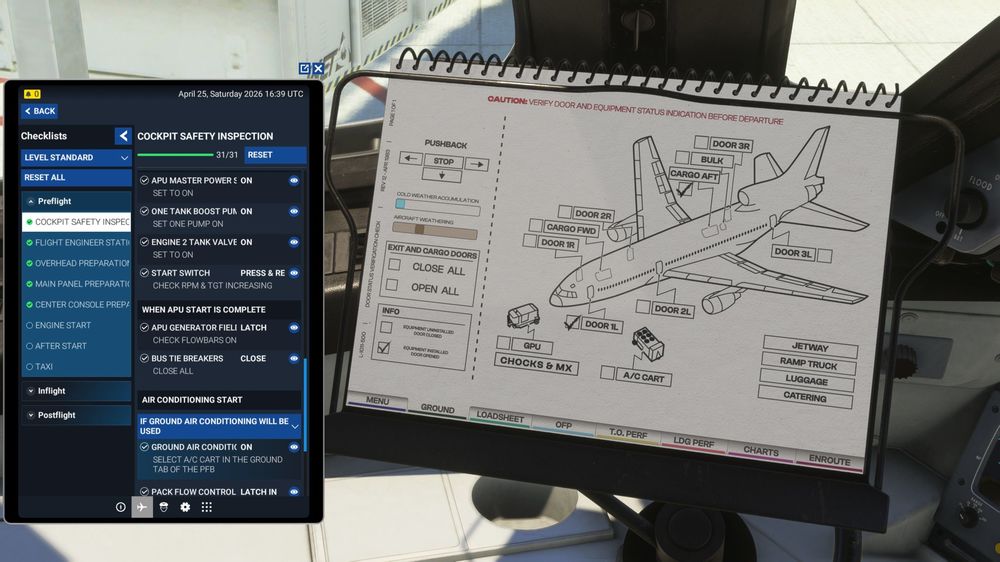
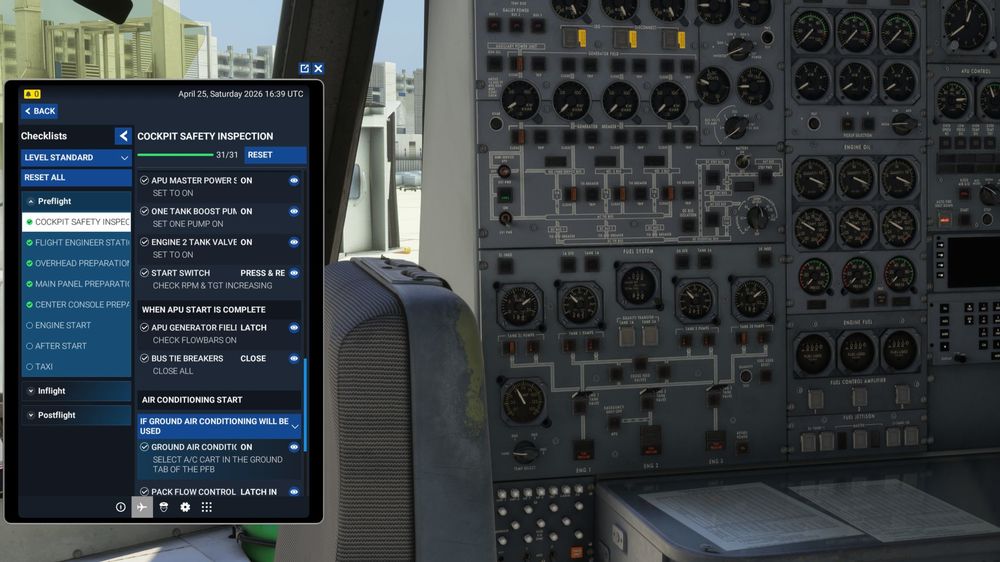
I included pictures of the GPU always showing on. I can grab a video from the stream if that helps as well.
-
I also had a trim bug on approach and it showed up prior to securing the aircraft. Clipped that too. It stopped the ILS and LOC from engaging. They'd immediately disengage. https://drive.google.com/file/d/1pvNbIW0-A-VRuO002RSzfBeAk64aREHU/view?usp=sharing
-
Got it via Twitch. I believe it is now a overall power bug that occasionally presents at the GNS530 rebooting. The video should explain. https://drive.google.com/file/d/1EZv14VcGibwGZIoU1Ok1lSAnewZRPanL/view?usp=drive_link
-
I'll try to get a video for you tomorrow on my flight. Thank you for the response!
-
Not sure if these are related, so I'm reporting them together. The GPU will be disconnected on the PFB, but still show as available on the Engineer panel in all phases of flight. I use the GNS530 + the INS for Navigation. The GNS530 for departure and arrival and the INS for the in between flight plan. During the flight the GNS530 regularly reboots. Although it doesn't seem to effect guidance of the AP, it does cause me trouble with BATC and needing to check in again which can add burden to an over stimulated pilot during flight. I did a flight last night and can provide logs if the storage location can be provided.


