cassis87
Member
-
Joined
-
Last visited
Everything posted by cassis87
-
Thanks ! Another one, are we gonna get some real airlines liveries on XBOX X ? This is really missing.... Thanks !
-
Hi, First of all, thanks a lot for this great aircraft. Performance are amazing with Xbox, and I love the high refresh rate cockpit displays too. One thing is that using the Thrustmaster TCA Airbus (which work perfectly by default), the elevator surface are way too sensitive.... even a slight joystick input would raise the elevator surface by a large notch....no progressive elevation.... Thanks, Greg
-
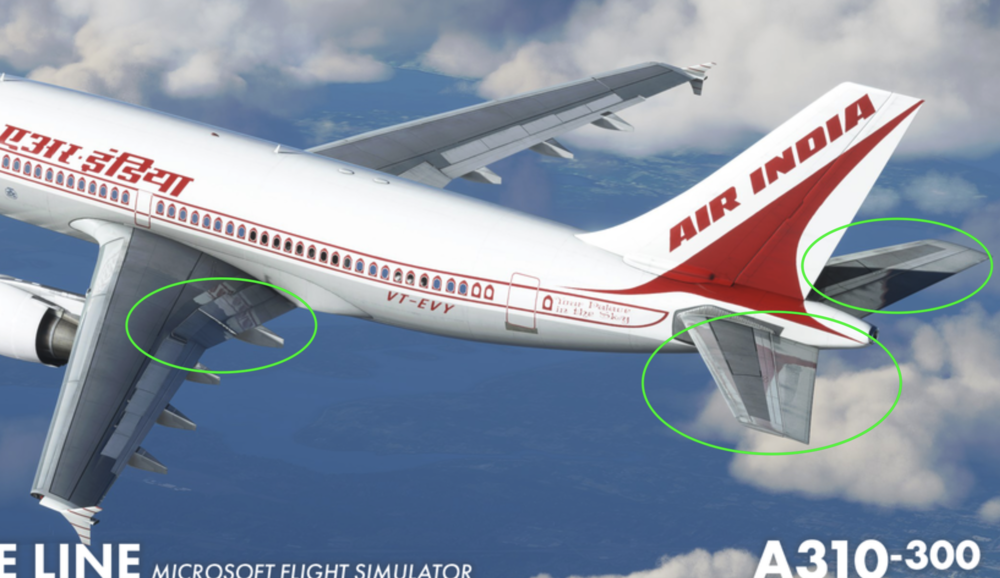
Thanks for the update !! If I can ask something on the MSFS texture work : Can you try to minimize the MSFS reflections on the wing and tail stabilizer to keep the look of the real aircraft as you did in XP ? Those wing and stabilizer textures look mat in real life and I guess MSFS tend to add some shiny reflections on textures by default... Thanks a lot 🙂