




cpschulz
Member
-
Joined
-
Last visited
-
Hello, I have the same observations here (but at -5000 feet). I think the jump function uses the FMS data of the respective waypoint. In my case, FL400 was reached and the jump went to the waypoint just before the ToD. The flight planning for this waypoint was at FL350, and exactly at this height the A380 came out. Subsequently, the AP was not working / stopped working and lost all managed modes. I think the behavior of the systems is understandable; therefore, the pilot has to check twice under which circumstances to jump forward.
-
Hello, I planned a flight from OMDB to EDDF. Two attempts to perform the flight were unsuccessful. The first attempt ended in a freeze of MSFS about one and a half hours after departure from Dubai (around Jeddah). Unfortunately, no reports were found in the Windows logs, but the MSFS log is attached. The second attempt ended in a failure of the A380 systems a few minutes after departure. I am not sure what the reason was, but at that exact moment, the chart provider in the EFB changed from Simulator to Navigraph. The sim froze for a few seconds and all data was lost (flight plan and performance data). Furthermore, some settings in the EFB are currently not persistent. Almost all settings from before the first flight were reset to default for the second flight (except for calibration and third-party settings). Lastly, GSX had some problems reacting correctly with the aircraft during the second attempt, whereas during the first flight, everything worked fine. I think it is best to delete the WASM folder before starting the third attempt. AsoboReport-Crash-1960707156.txt
-
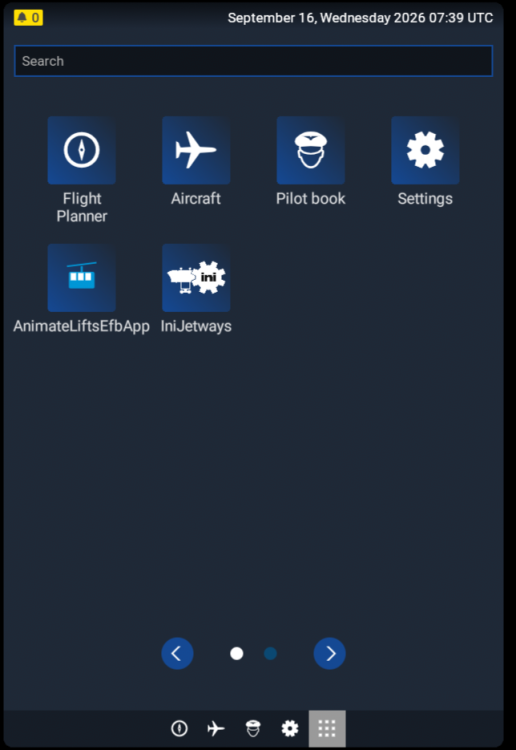
Hello, the new A380 is obviously supported. The multi-jetway tool is only usable via the EFB.
-
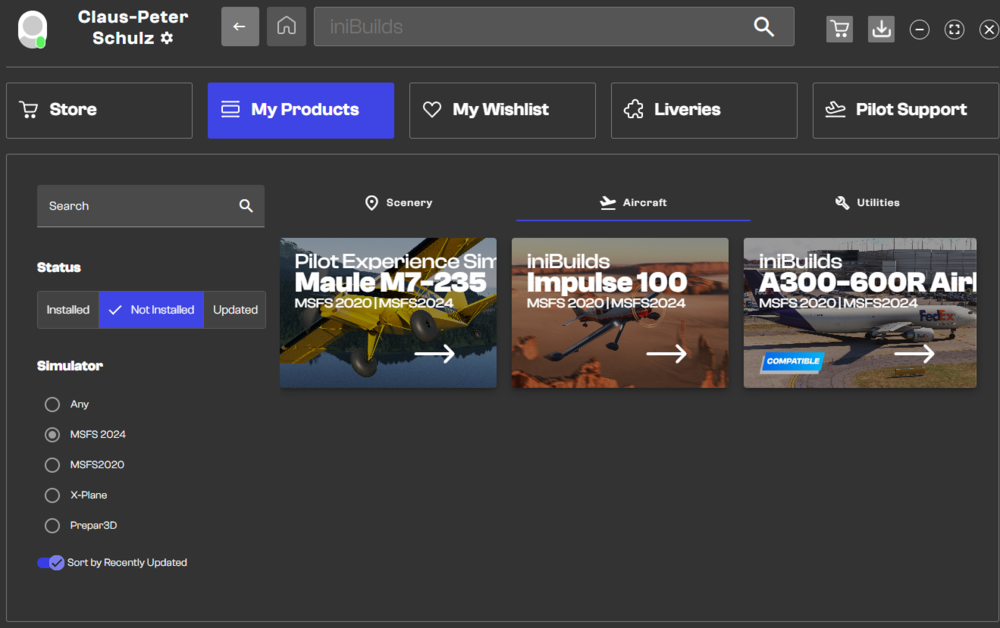
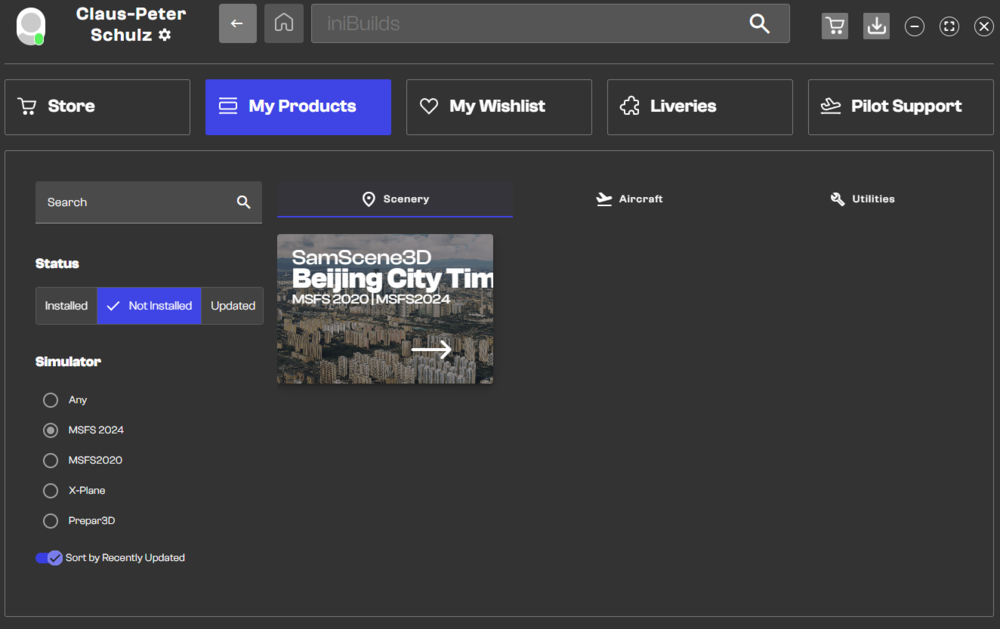
Hello again, after new installation all was fine again. But today - during my weekly update tour through the different store apps - the strange behavior of the iniManager begins again. The two screenshots shows the aircraft and the scenery menu for the MSFS2024, filtered by "not installed". Your Impulse 100 and the Samscene Beijing City Times appears altough both addons are already installed. Reinstalling is with the same result - it is a mess. It is obvious to me that iniManager cannot cope with an alternative installation outside the original community folder.
-
Hello it is very strange with your iniManager. That is not the first time, I got into trouble with installed sceneries: Sometimes, the installation is still not recognized, although the add-on was deleted and install again. This morning, six updates performed, but still none of the add-ons are recognized as installed. Nevertheless, many thanks for assistance, but the two suggestions were not successfully to resolve my issue. To your question: I am aware of the problems with linked add-ons, therefore I am using two specific folders for the add-ons from iniBuilds (one for MSFS2020 and one for MSFS2024). With some expections (see 1.) that functions properly until the last update of the iniManager. This update caused the strange behavior described in my post before. I will execute a complete new installation (the second one). However, based on my experience over the last few years, I can say that your iniManager does not work perfectly. Sometimes it is unreliable. Regards
-
Hello, today the new ini-Manager updates was loaded. After restart the software, none of the installed add-ons were recognized as installed. Is there a special option to solve the issue or is it the same problem as in the past, and you have to reinstall everything?
-
Hello, some observations to engage the AP. From cold&dark mode, the rocker switch springs always back in the OFF position on my system. At "ready for TO" mode on the runway, the AP works as expected. Regards, Claus-Peter
-
Hello and thank you for reply, a ticket is submitted.
-
Hello, at 24th and 25th December, I was flying the A310 on short trips (Go araound at EDDR and very short trip from EDFH to EDDR). In every case I started from a parking position (cold&dark). Since the next session at 26th December, the knobs, screens and buttons not responding (no lights, the screens a black, no pack sound). I deleted alle the A310 folders (WASM, streamed and also simobjects) but that has no effect. Furthermore, the community folder was cleared (empty folder) and the exe.xml is deactivated. Still no effect. There was no software or hardware change between the sessions ot 25th and 26th December and i have no glue what happend or what is the reason for that issue. Therefore I kindly ask for some information, thanks a lot in advance and regards, Claus-Peter


